

ProductReports
Client reports written from your field notes
PropelMapper drafts the report from what you said and photographed, and you finish it with your advice and your signature.

Field visit to signed client report
The draft is written from what you said at the field, and you check every line against your recording and photos. The client gets the version you signed.
You leave Ridge Field with photos of a wet corner by the tile outlet and a voice note about the soil samples you pulled. When you open the visit, the draft is waiting: the field, the problem, where you saw it and what’s still pending.
You read it with your recordings and photos beside it. Fix a sample depth, sharpen the wording, add your recommendation. The report uses your team’s sections, order, logo and letterhead, so it looks like every other report you send.
Sign it with a drawn or typed signature and send the files by email with a short note. The grower doesn’t need an account or a paid seat to open it.
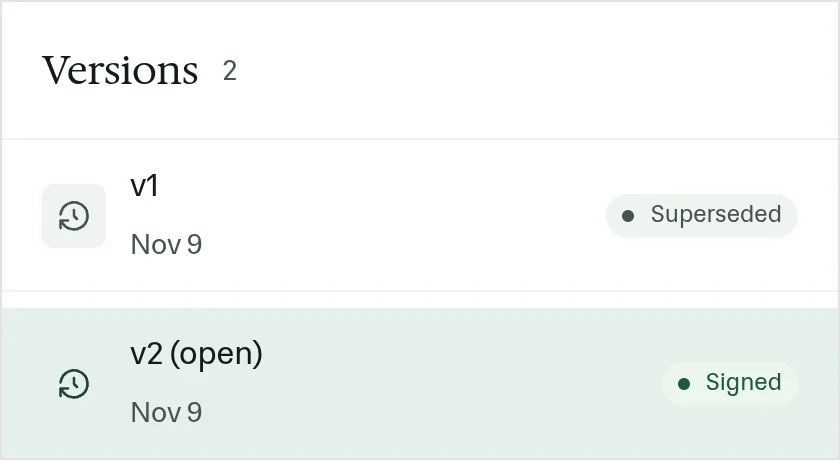
Every signed version is kept. If you change the advice later, PropelMapper saves a new version and keeps the one you sent, so when the grower calls months later you know exactly what you told them.
Disease scouting - Ridge Field: what you said and what the report says
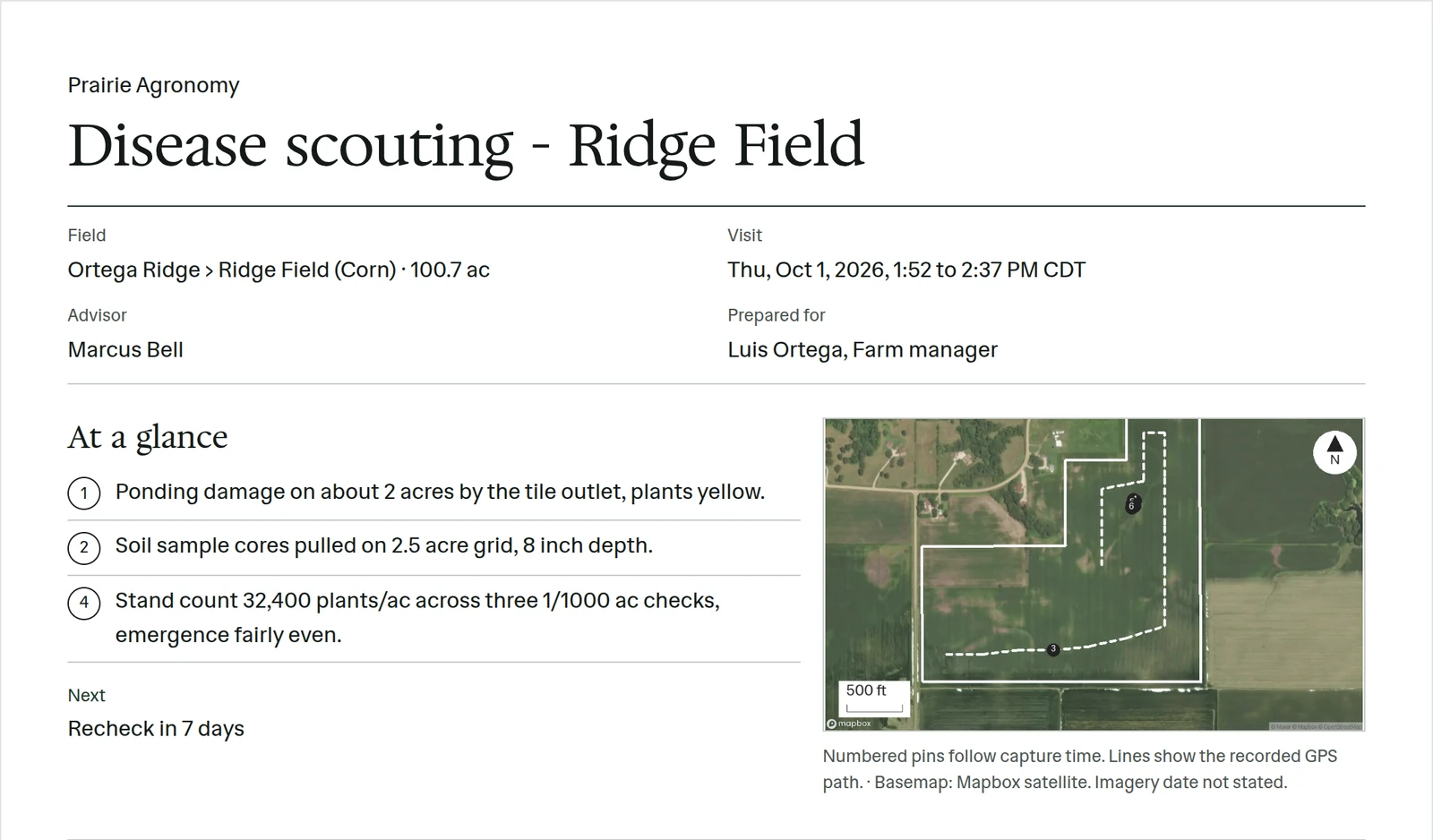
What you say in the field, and what ends up in the report after your review. The sample PDF includes mapped observations, dated field layers, a crop photo, next steps and advisor sign-off.
“Ridge Field. Ponding by the tile outlet, plants yellow in that patch. Soil samples taken today. I will review the results with the grower when they come back.”
Prairie Agronomy
Disease scouting - Ridge Field
Ridge Field (Corn)
At a glance
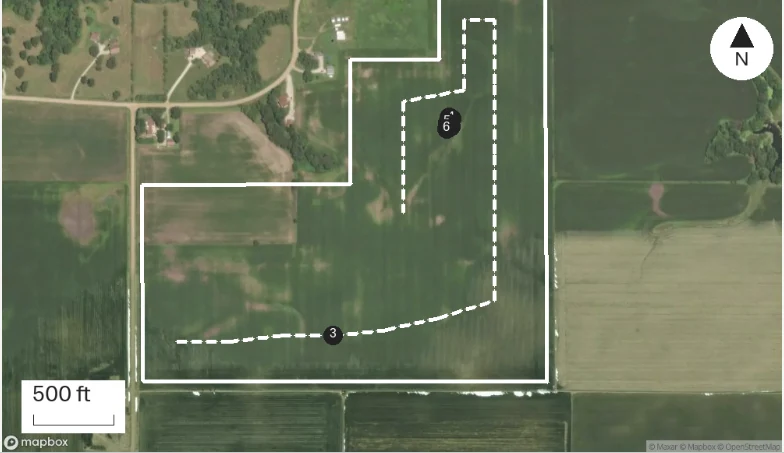
Ponding and yellow plants were observed near the tile outlet. Soil samples were taken during the visit.
The results are pending and will be reviewed with the grower.
Observations
Ponding and yellow plants were observed near the tile outlet. Soil samples were taken during the visit.
The results are pending and will be reviewed with the grower.
After your review
Example account: Prairie Agronomy
What a good field report includes
A grower wants three things from a scouting report: which field, what you found and what to do about it. A landowner reading a farm inspection wants the condition of the property and the work that’s planned. Everything else is supporting detail.
Say how big the problem is as well as where it is. Yellow plants at one tile outlet are a finding about that patch, not the whole field. If you walked the rest of the field and it looked fine, say so. Include how you sampled and the units, so the numbers mean something.
Every photo should earn its place. A wide shot shows which part of the field, and a close-up shows the symptom. One line under each saying what it shows and where it was taken does more than a page of unlabeled pictures.
End with your call: what you think is going on, what happens next and what you’re still waiting on. If the lab results aren’t back, say when you’ll follow up.
Checking the draft before it goes out
Read the draft once the way the grower will. Spell out abbreviations, use the field name the grower uses and make the recommendation a sentence they can act on.
If a number looks off, open the voice note or photo it came from and check the draft against it before you sign.
What changed between versions
The judgment you add to the draft is the part worth keeping a record of. So every save is a version, and Compare shows two of them side by side, with what was added and what was taken out.
That matters most when someone else touched the report. A manager who tightened the wording, a colleague who corrected a count, an advisor who changed a recommendation after the soil results came back: Compare shows each change against the version before it, and the signed one stays exactly as it was signed.
The sample report you can download
The two-page Ridge Field example puts its map, At a glance, readings, follow-ups and Sign-off on the opening page. Observations, a crop photo and dated data sources follow on the second page.
Read every page of the client report · Download the sample PDF
In the app
Example account: Prairie Agronomy
“These guys can go out to the farm, talk to their phone, get a report to me within the day.”
 Kyle W.Head of Farm Management, Peoples Company
Formats, sources and availability
- Report formats
- PDF and Word attached when you send, or a shared link your client opens in the browser. Shared links are included in every paid plan.
- Templates
- Your sections, order, logo and colors; a template per owner if you report to several
- Signatures
- Drawn or typed; signing freezes the version
- Record
- Signed and earlier report versions kept with the farm
Questions about reports
Can I review a report without service?
You can review, edit and sign a draft already downloaded to the phone. A new visit must upload before its draft can be created, and sending requires a connection.
Who it’s for
For agronomists, crop consultants and farm managers who owe a grower or landowner a written report after every visit.