

ProductTeams
One record for the whole field team
PropelMapper is built for teams that split the ground between several people: every advisor records into the same places, the lead sees the week by person, and the work stays with the account when someone moves on.

A Monday for the agronomy team
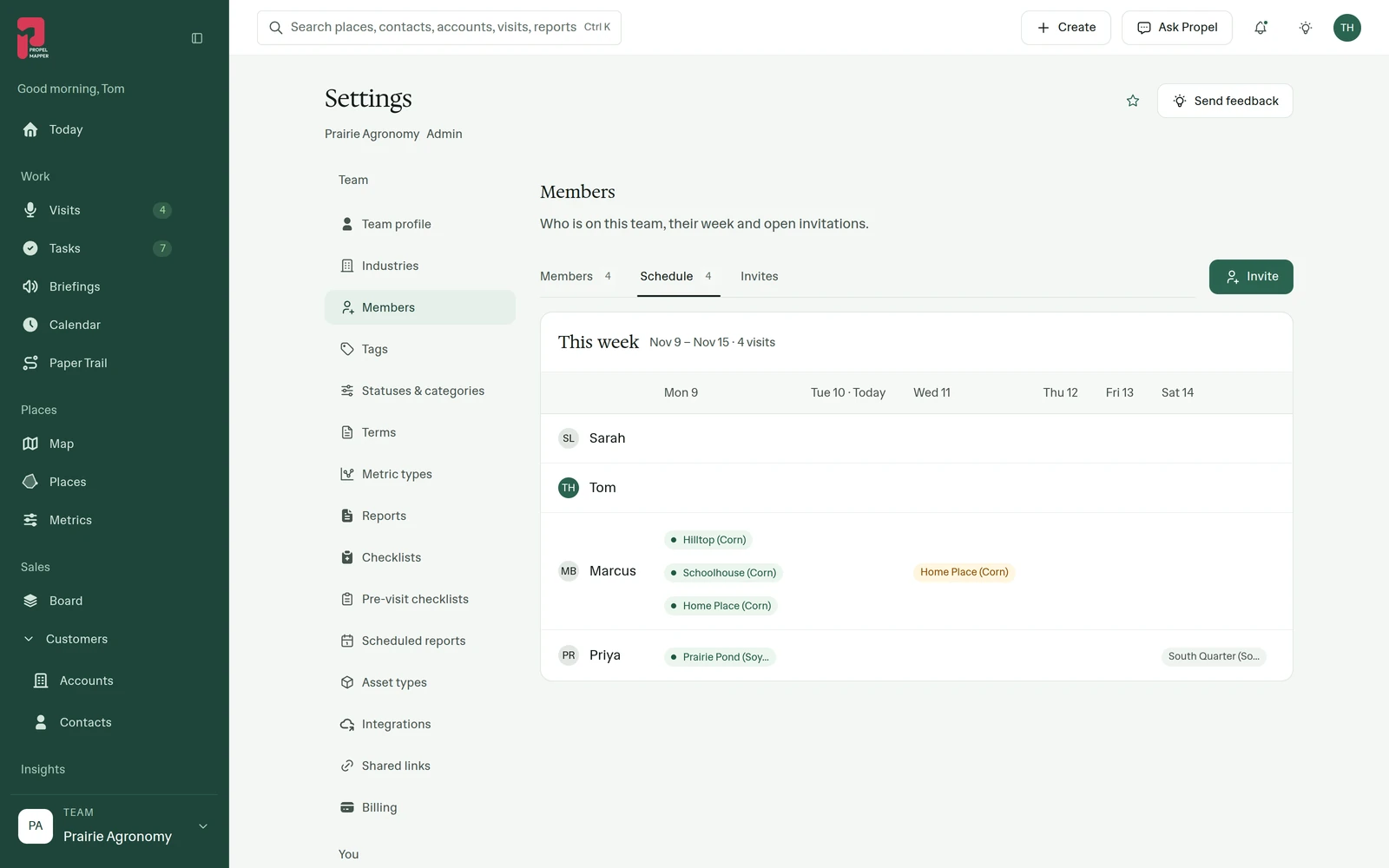
Sarah leads agronomy at Prairie Agronomy. Before the trucks leave she opens Members in Settings: everyone on the team, their role and the visits each has recorded this year. The Schedule tab lays the week out one row per advisor, Monday through Sunday.
Marcus has Hilltop, Schoolhouse and Home Place on Monday. Priya starts at Prairie Pond and has South Quarter later in the week. When she filters visits by the field, the team’s earlier visits, photos and signed reports come up before she leaves the truck.
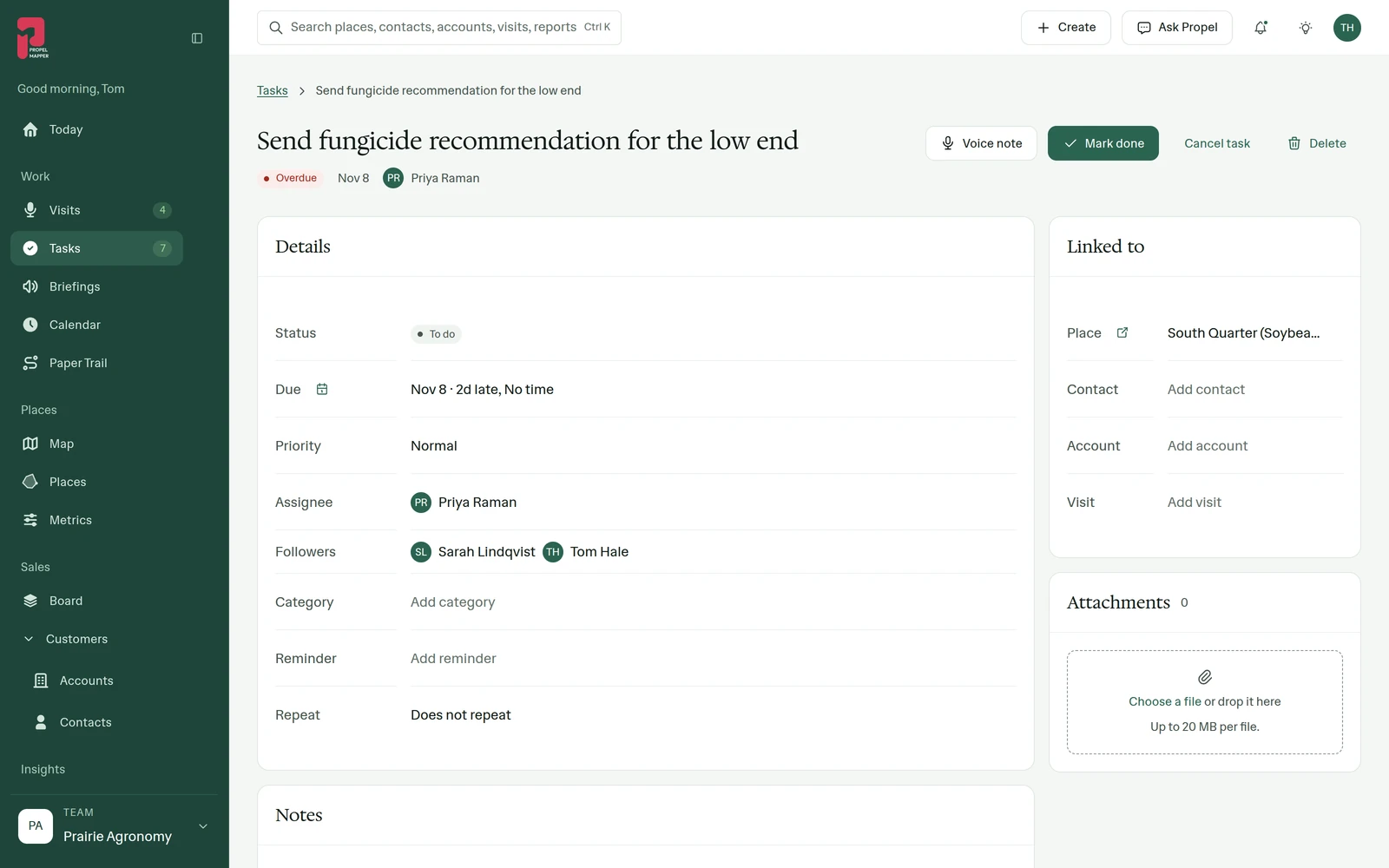
Walking South Quarter, Sarah says the low end needs a fungicide recommendation and that Priya should send it. The follow-up becomes a task with Priya as the assignee and Sarah and Tom following it, linked to the field. By the time Sarah is back in the truck it is on Priya’s list.
South Quarter: Sarah’s note becomes Priya’s task
Sarah at South Quarter. Her last sentence becomes Priya’s task.
“South Quarter, low end. Frogeye leaf spot is moving up the canopy on the low ground. Priya should send the fungicide recommendation before the weekend.”
Send fungicide recommendation for the low end - Task
At a glance
Assignee: Priya Raman. Following: Sarah Lindqvist and Tom Hale. Place: South Quarter (Soybeans).
Status: to do. Earlier visits on the same field are one filter away.
Observations
Assignee: Priya Raman. Following: Sarah Lindqvist and Tom Hale. Place: South Quarter (Soybeans).
Status: to do. Earlier visits on the same field are one filter away.
After your review
Example account: Prairie Agronomy
Members, roles and invites
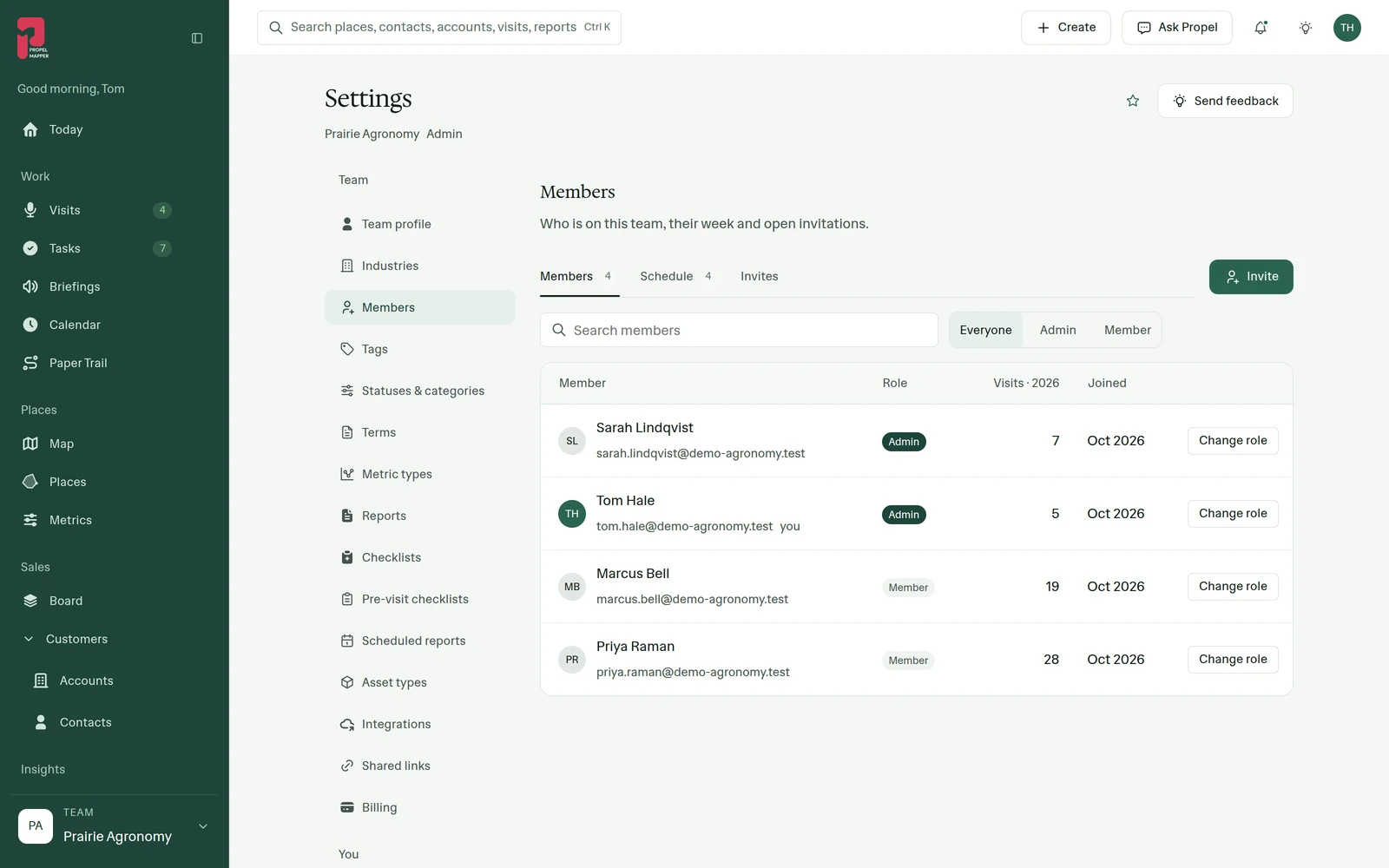
Members, in Settings, lists everyone on the team with their role. Admins invite people by email, choose Admin or Member for each, resend or revoke an invite, and change roles later. Members record visits, work their tasks and sign their reports.
Each row shows the visits that person has recorded this year and when they joined.
The week by advisor
Schedule shows the current week with a row for each advisor and a column for each day, filled with their visits and appointments. A lead balancing a busy week can see who is stretched and who has room before moving a stop.
Shared places and handoffs
Places belong to the team, not to the person who drew them. Every visit, photo, reading and signed report is tied to the place, so the next advisor starts from the record instead of a phone call. Filter visits by place or by advisor to review one person’s week, and reassign their open tasks when an account changes hands.
When two people walk a place together, the report names who else was there.
The same report look for everyone
Report templates and letterhead are set once for the team, so a client gets the same report whichever advisor signs it. A lead can open a draft in the browser and check it before the advisor signs and sends it.
In the app
Example account: Prairie Agronomy
Example account: Prairie Agronomy
Questions about teams
What is the difference between an admin and a member?
Admins manage the team: invites, roles and settings such as report templates. Members record visits, work their tasks and sign their reports. A team can have several admins.
What stays when an advisor leaves?
The visits, photos, readings, reports and tasks they recorded stay on the team’s places. Reassign their open tasks and remove them from the team.
Who needs a seat?
Each person who records visits needs a seat. Clients who read reports never need an account.
Who it’s for
Agronomy and crop consulting firms with several advisors, farm management companies splitting farms between managers, vet and nutrition practices, and any team where several people visit the same places.