

ProductCalendar and schedule
Visit calendar and team schedule
PropelMapper keeps scheduled visits and appointments on one calendar, shows the whole team's week on the schedule, and gives each person a private link that puts the same items into Google Calendar, Outlook or Apple Calendar.

Avoiding double-booked farm visits
It starts happening as soon as two people can book visits. Hillcrest Dairy calls to book a herd check. The person who answers puts it in their own calendar. A colleague, who also looks after Hillcrest, books the nutrition walk for the same morning. Gary Mikkelsen gets two trucks in his yard and an apology.
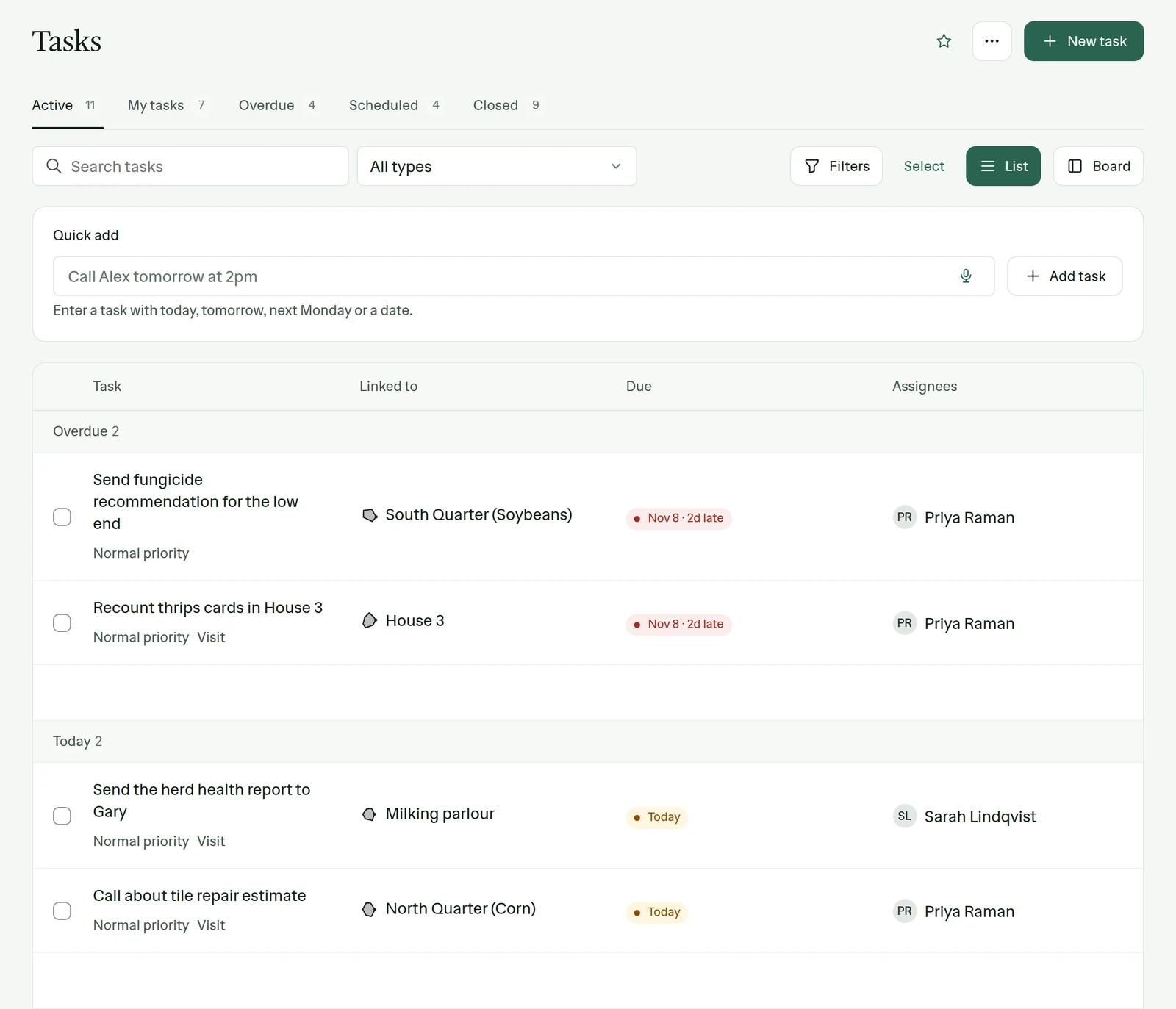
The fix is not a better shared spreadsheet. It is putting the appointment where the visit will happen: on the place. In PropelMapper an appointment is a task with a time, attached to Freestall Barn 1, assigned to a person. It shows on that person's calendar, on the team schedule and on the place itself, so whoever books the next one can see the first.
When the day arrives, the scheduled visit is already sitting on Today. Start it, record it, and the report comes from that visit at that place. Nothing has to be copied from one calendar to another, which is the step where visits used to go missing.
Next visits: what you said and what the report says
Sarah, finishing the herd check at Freestall Barn 1, books the next one before she leaves the parlor.
“Freestall Barn 1. Next herd check in two weeks, Tuesday morning, me. Put the nutrition walk after it, not before, so Gary only has one morning of us.”
Next visits - Freestall Barn 1
At a glance
Next herd health check scheduled in two weeks, Tuesday morning, with Sarah Lindqvist. Nutrition walk to follow the same morning.
Observations
Next herd health check scheduled in two weeks, Tuesday morning, with Sarah Lindqvist. Nutrition walk to follow the same morning.
After your review
Example account: Prairie Agronomy
Rescheduling visits on the calendar
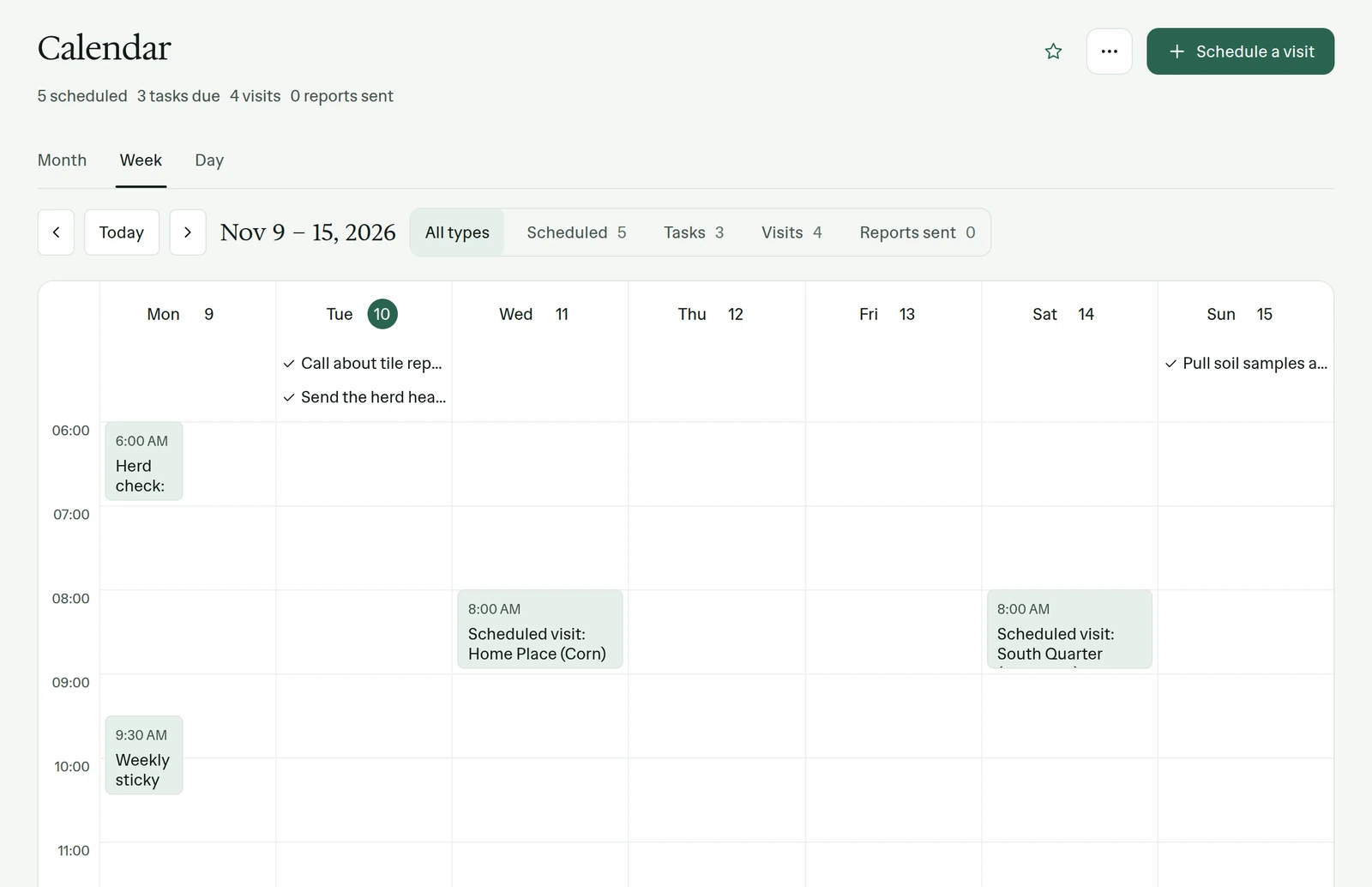
The calendar shows scheduled visits, tasks, finished visits and reports sent, by month, week or day, and you can filter to any one of them. New visit in the corner books one directly. When the rain moves Wednesday's scouting to Thursday, drag the appointment to the new time. The place, the person and the reason for the visit move with it.
Calendar is one of the pages a team turns on. Some teams live in it. A consultant who books three visits a week from memory may never open it, and the sidebar stays shorter for them.
Weekly team schedule
Team, Schedule lays out this week's booked visits as a grid, one column per day. When a sick day leaves Thursday's visits open, the team lead can see which places need covering. Before booking a new visit, you can see which places already have one that week.
Subscribing from your own calendar app
Most people will not switch calendars for a work app, and we do not ask them to. In Settings, under Integrations, each person gets a personal calendar link. Paste it into Google Calendar, Outlook or Apple Calendar and your PropelMapper visits and tasks show up next to everything else on your phone.
The link is read-only and private to you. Keep it to yourself, and make a new one if it ever ends up somewhere it should not. To change a visit, change it in PropelMapper; the subscribed calendar follows.
In the app
Example account: Prairie Agronomy
Questions about calendar and schedule
Does PropelMapper sync both ways with Google Calendar or Outlook?
The calendar link is a one-way subscription: PropelMapper visits and tasks appear in your calendar app. Make changes in PropelMapper and the subscribed calendar picks them up.
Is Calendar on for every team?
Calendar is turned on per team, or added to the sidebar by the person who wants it. The subscription link in Settings works either way.
Who it’s for
Vet and nutrition practices booking herd visits, land companies with several managers covering the same owners, and agronomy teams whose season is a moving list of appointments.