

ProductBoard
A board of every farm, sorted by status
The PropelMapper Board puts every farm your team works with on a card, in columns your team names, so where each place stands this season is a glance instead of a meeting.

Tracking farm status through a season
A soil sampling crew in September has a simple question about each farm: not sampled yet, sampled, at the lab, results back, recommendation sent. A greenhouse consultant has a different one: which ranges are clean, which are under watch, which have an active problem. Neither question fits on a map or in a list of visits.
That is what the Board is for. Your team sets the columns in Settings, under Statuses and categories, and every farm sits in one of them as a card with its owner, its fields, its acres and how long since the last visit. When a farm moves on, drag the card. Select several and move them together.
Every field under a farm moves with it, the farm's history records who moved it and when, and Undo puts it back if the drag was a slip.
Soil sampling: what you said and what the report says
A soil sampling crew lead moving farms after a day in the field.
“Jorgensen and Vos are sampled, move them to at the lab. Ortega Ridge got rained out, leave it.”
Soil sampling - Board
At a glance
Jorgensen Family Farms and Vos Brothers moved from Not sampled to At the lab. Ortega Ridge stays in Not sampled.
Observations
Jorgensen Family Farms and Vos Brothers moved from Not sampled to At the lab. Ortega Ridge stays in Not sampled.
After your review
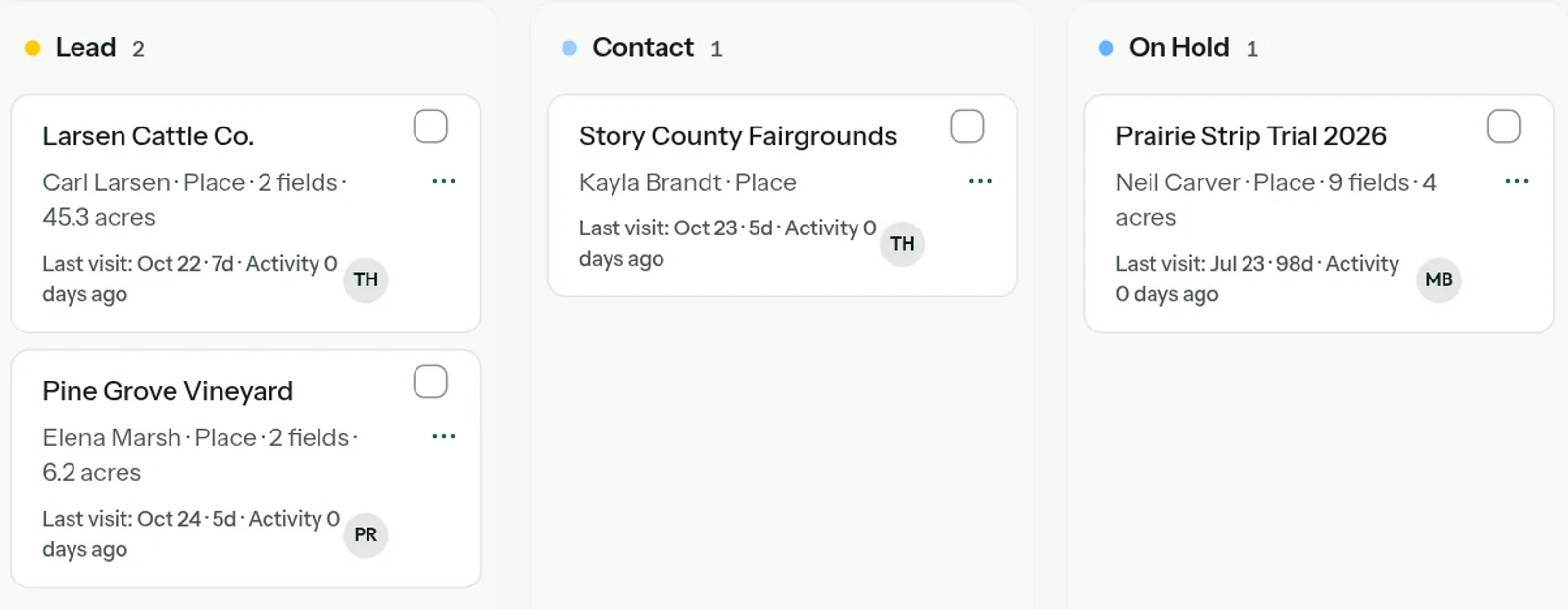
Example account: Prairie Agronomy
Grouping the board by status or category
Group the Board by status to see where farms stand, or by category to see what kind of work they are: dairy, greenhouse, row crop, collateral. Filter to one category, to the farms you are responsible for, or to the ones touched in the last month.
A team can have up to ten statuses, each with its own color. One of them is the default that every new place starts in. Board is turned on per team; a consultant with a handful of clients may never need it.
Questions about the board
Who sets the columns?
A team admin, in Settings under Statuses and categories. They are shared by the whole team.
Who it’s for
Soil sampling services, greenhouse consultants, agronomy teams tracking a season's work farm by farm, and land companies following each property through a process.