

ProductPhotos and video
Field photos with markup and short video clips
In the PropelMapper field app you take a photo, draw on it to show exactly what you mean, or shoot a clip of up to 30 seconds, and each one is pinned to the spot where you were standing.

What a field photo needs to show
Every advisor has a camera roll full of green leaves. A few weeks later nobody, including the person who took them, can say which field, which corner or which plant. That is the problem with a photo on its own: it is a picture of something, somewhere.
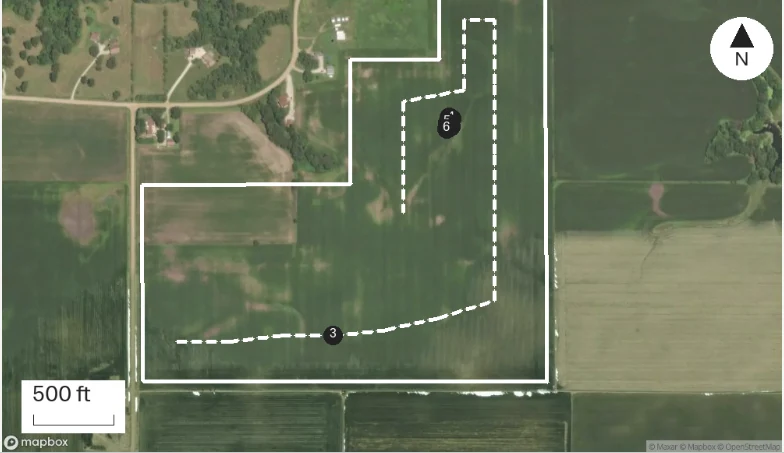
In PropelMapper the photo is a capture inside the visit. It gets the GPS point and the time, it lands as a pin on the visit map, and it sits in the timeline between the voice note before it and the reading after it. The field and the corner are answered before anyone asks.
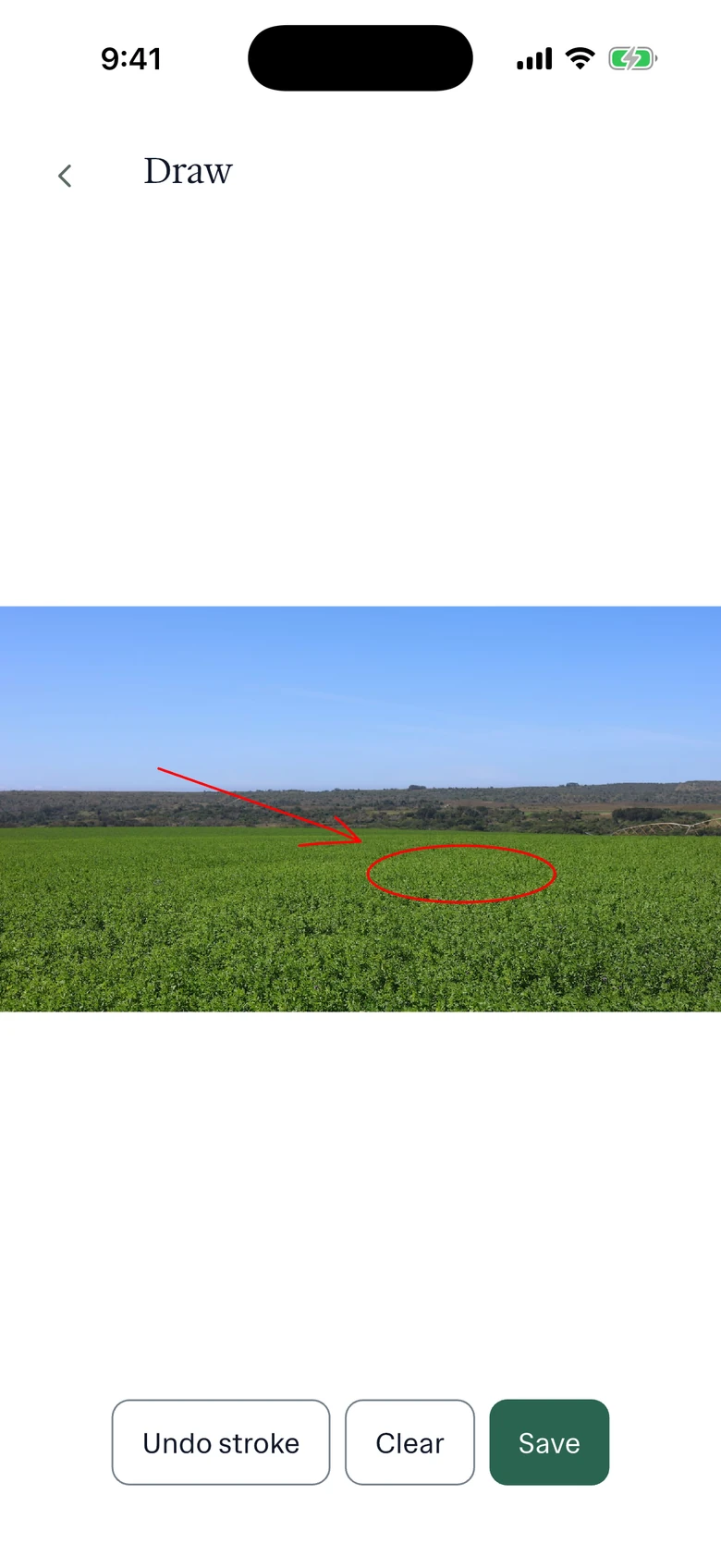
The leaf is the next problem. Tar spot on a lower leaf is a few black specks. Once the photo has uploaded, open it from the visit and draw on it with your finger: a ring around the stromata, a line to the second leaf. The drawing sits on top of the photo, so the original stays as it was. The grower reading the report sees what you saw instead of hunting for it.
Leaf disease: what you said and what the report says
Marcus near the waterway, with a marked-up photo of the third leaf and a voice note recorded at the same pin.
“Down by the waterway. Tar spot stromata on two leaves, first find this year. Photo's got them circled. Gray leaf spot on the third leaf below the ear, maybe five percent of plants.”
Prairie Agronomy
Leaf disease
At a glance
Tar spot stromata found on two leaves near the waterway, the first find on this farm this year (photo, marked).
Gray leaf spot lesions on the third leaf below the ear on about 5% of plants.
Observations
Tar spot stromata found on two leaves near the waterway, the first find on this farm this year (photo, marked).
Gray leaf spot lesions on the third leaf below the ear on about 5% of plants.
After your review
Example account: Prairie Agronomy
Short video clips from the field
Some things only make sense moving. Water running backward out of a tile outlet. A cow favoring a hind leg as she walks out of the parlor. Wind laying over a block of corn that was standing yesterday. For those, the field app records a video clip with the phone camera, up to 30 seconds.
Thirty seconds is a deliberate limit. A clip is evidence for one finding, not a tour of the farm. If you need to explain what the clip shows, say it in a voice note at the same spot. The transcript does the explaining and the clip does the proving. Long walk-through videos tend to go unwatched, by the grower and by you.
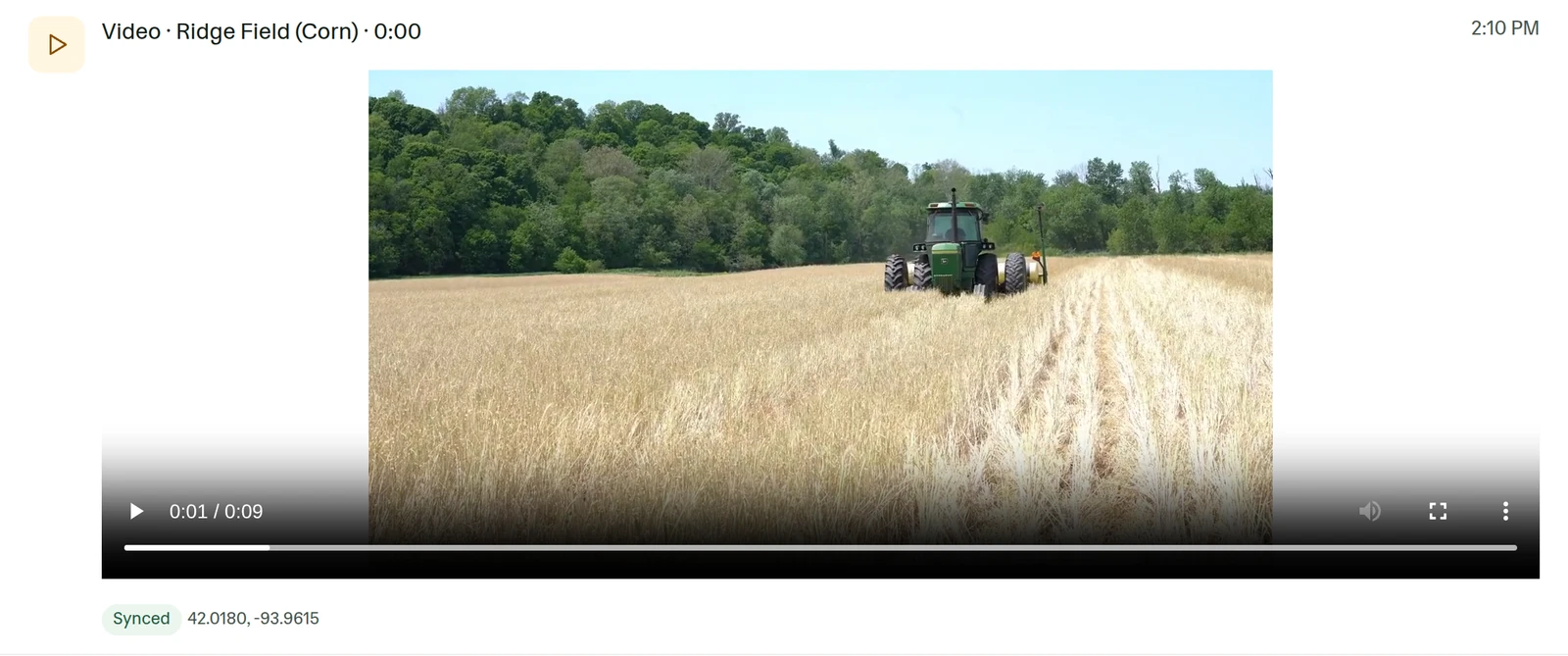
Clips are recorded on the phone and play back in the web app, in the visit timeline, next to the other captures from that stop.
Picking the photos the client sees
Not every photo belongs in the report. You might take six at the outlet to get one that shows the depth of the water. When you review the draft, keep the ones that support a finding and leave the rest in the visit record, where they stay available for the next visit or for a colleague covering the farm.
A good set for one finding is usually two pictures: a wide one that shows how much of the field is affected, and a close one, marked up, that shows what it is. The pin on the report map tells the reader where both were taken.
In the app
Example account: Prairie Agronomy
Formats, sources and availability
- Photos
- Phone camera. Draw on a photo from the visit once it has uploaded
- Video
- Recorded in the field app, up to 30 seconds per clip. Plays in the web app timeline
- Location
- A pin per capture at the GPS point where it was taken
- Without signal
- Saved on the phone, uploaded after reconnecting
Questions about photos and video
How long can a video clip be?
Up to 30 seconds per clip. Record as many clips as the visit needs, and each one gets its own pin.
Can I draw on a photo after the visit?
Yes. Drawing on a photo happens in the field app after the photo has uploaded, so it needs a connection. Open the photo from the visit, draw, and save. Undo and Clear take strokes back off.
Do photos and clips save without signal?
Yes. They stay on the phone with the visit and upload when you are back in range. The report draft is prepared after the upload.
Who it’s for
Crop advisors documenting disease and damage, inspectors and crop insurance adjusters who need a picture tied to a location and a time, and orchard and vineyard teams who photograph the same block every week.