

ProductReport templates
Report templates with your logo and layout
PropelMapper report templates carry your firm's logo, sections and language, so a herd check, a greenhouse walk and a crop scouting visit each come out in the shape your clients already know.

A template for each kind of visit
Say a land company sends us the reports it sends clients today, and there are eleven of them. Some are the same report with a different client's name in the header. Some are last year's version that one manager never stopped using. Two have the old logo.
Once we sort them, there are usually three or four real reports underneath: a crop inspection, a farm At a glance for the landlord, maybe a collateral inspection for the lender side of the business. The difference between them is the kind of visit, not who it goes to. So that is how PropelMapper templates are organized.
Each template is set up once by your team admin. Advisors never pick a layout in the field. They walk, talk and take photos, and the report that comes out matches the visit.
Disease scouting report: what you said and what the report says
A disease scouting visit on September 17, drafted on the team's Crop scouting report template, in English.
“Disease scouting by the tile outlet. Ponding on about two acres, plants yellow. Soil cores on the two-and-a-half acre grid at eight inches.”
Prairie Agronomy
Disease scouting report
At a glance
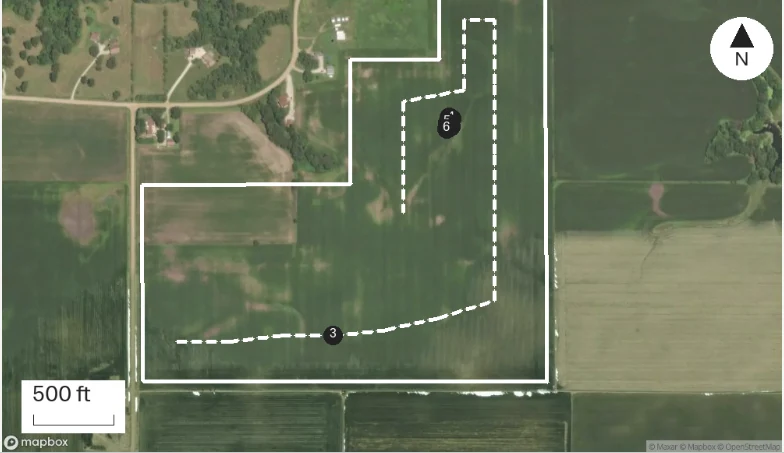
Ponding damage on about 2 acres by the tile outlet, plants yellow. Soil sample cores pulled on a 2.5 acre grid, 8 inch depth.
The field map shows where each capture was pinned during the visit.
Observations
Ponding damage on about 2 acres by the tile outlet, plants yellow. Soil sample cores pulled on a 2.5 acre grid, 8 inch depth.
The field map shows where each capture was pinned during the visit.
After your review
Example account: Prairie Agronomy
What a template holds
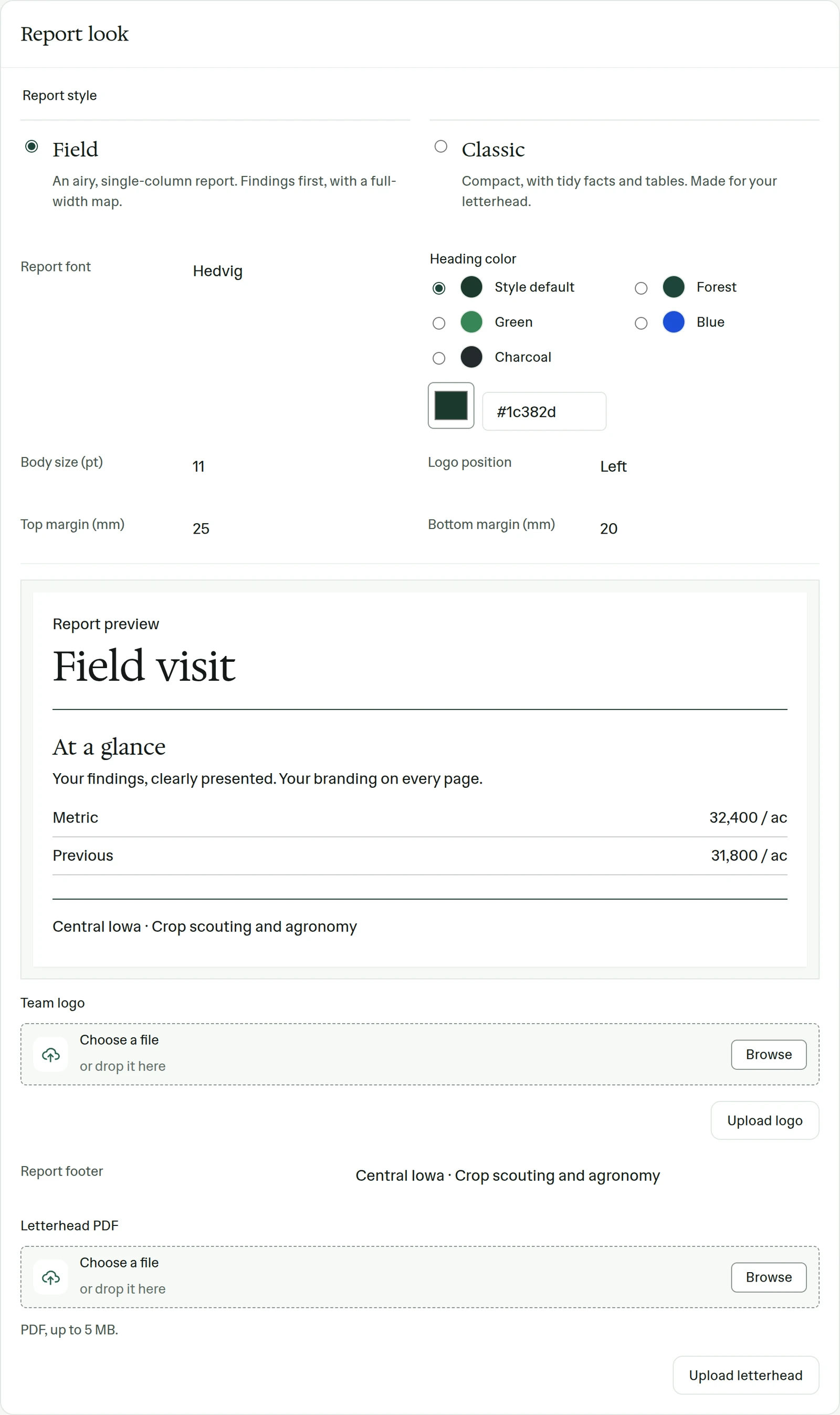
Settings, Reports holds the look every report shares: the font, the body size, the heading color, where the logo sits, the top and bottom margins and a footer. If your firm already has printed letterhead, upload it as a PDF of up to 5 MB and reports are laid on it. Extra logos, a partner's or a program's, can be added where they belong.
Each template then sets the report title, its sections and the language the report is written in. A team keeps up to five templates, each with up to 20 sections, which is plenty for the real kinds of visit and too few to keep one per client. The default template is used unless someone picks another or the place routes to a different one.
The same page lists office recipients. Put in the office address and choose when it gets a copy, for example whenever a report is signed, and the filing happens without anyone forwarding mail.
Access is set per template too. A herd health report can be limited to the people on the team who do herd work, so a crop advisor never sees it in a list of choices that does not concern them.
Templates assigned by place category
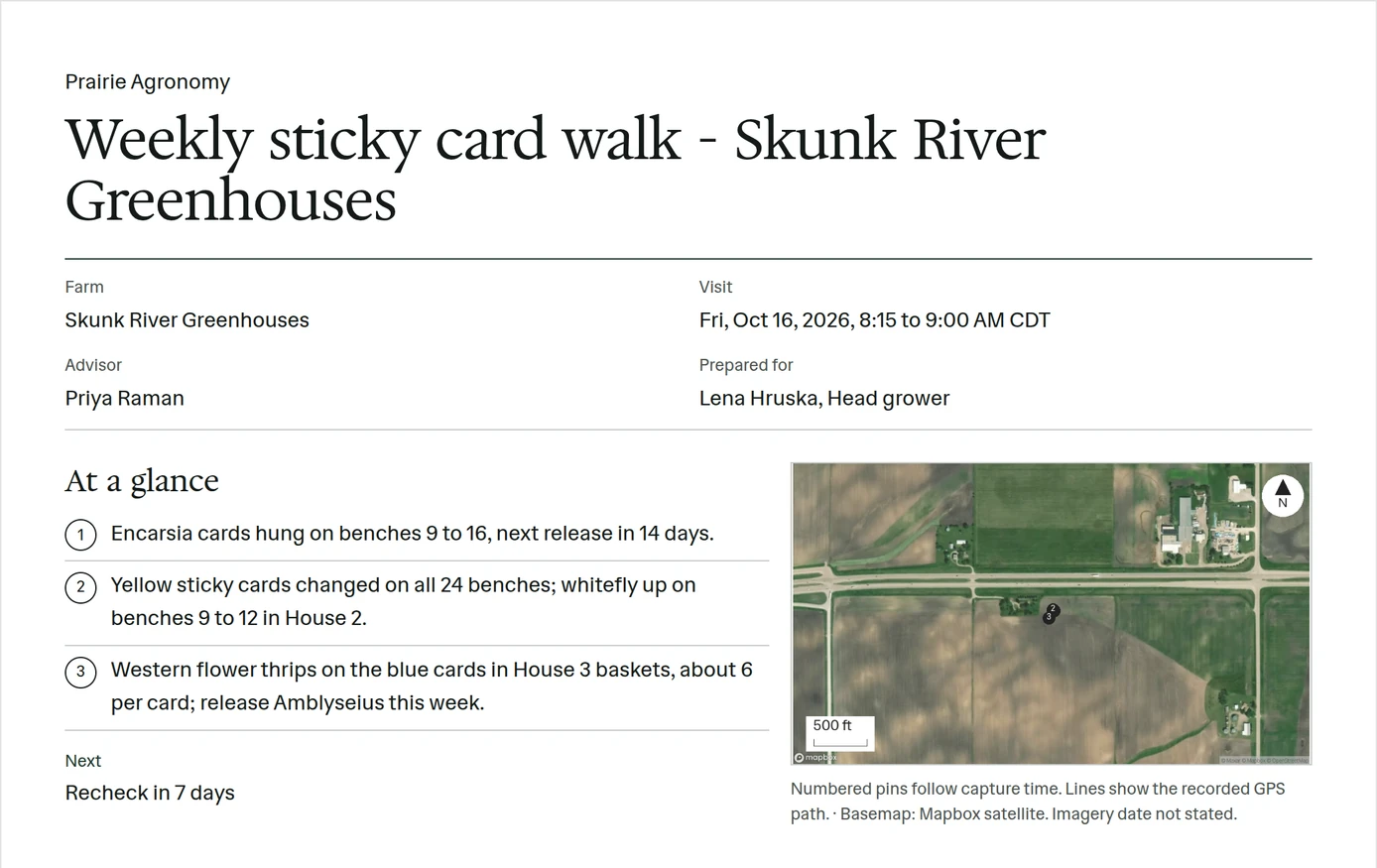
Templates can be routed by a place's status or category. Give Skunk River Greenhouses a greenhouse category and its visits draft as a Greenhouse visit report. Give Freestall Barn 1 a dairy category and its visits draft as a Herd health report. Ortega Ridge, a lender's collateral property, drafts as a Collateral inspection.
This is the setting that saves the most correction time later. A crop scouting layout with a section for growth stage looks silly on a dairy visit, and an advisor who has to remember to switch templates eventually forgets.
No separate template per client
Teams sometimes ask for a separate template for each big client. We have not built that. Thirty near-identical templates drift apart within a season, and the drift shows up as reports that disagree about what a section is called. If a client truly needs different sections, that is usually a different kind of visit, and it deserves its own template anyway.
In the app
Example account: Prairie Agronomy
Questions about report templates
Can each client get their own template?
Templates are organized by kind of visit, and routed by the place's status or category. A client with genuinely different needs usually means a different kind of visit, which can have its own template.
Can I use the stationery we already print on?
Yes. Upload it in Settings, under Reports, as a PDF of up to 5 MB. The report content is laid on top of it.
Which languages can a report be written in?
English, Spanish, German or Afrikaans. Each template has its own language, separate from the language anyone on the team uses the app in.
Who it’s for
Land management companies and agronomy firms with an established report format, vet and nutrition practices with herd reports, greenhouse consultants, and lenders' inspection teams who need every collateral report to look the same.