

Who it’s forLand trusts and easement monitors
Easement monitoring reports for land trusts
PropelMapper keeps monitoring notes, photo-point observations and follow-up work on the easement checkpoint your steward visited.

Used by field teams at




What the monitoring file gets from a checkpoint visit
“Photo point PP-2 shows the restored prairie opening holding, few woody sprouts.”
Example account: Prairie Rivers Land Trust
Visual example; transcript only.
- Photo point PP-2
- Opening Restored prairie holding
- Vegetation Few woody sprouts
Prairie Rivers Land Trust
Annual monitoring visit - Photo point PP-2
Prairie Rivers Land Trust › Hollis Timber easement › Photo point PP-2
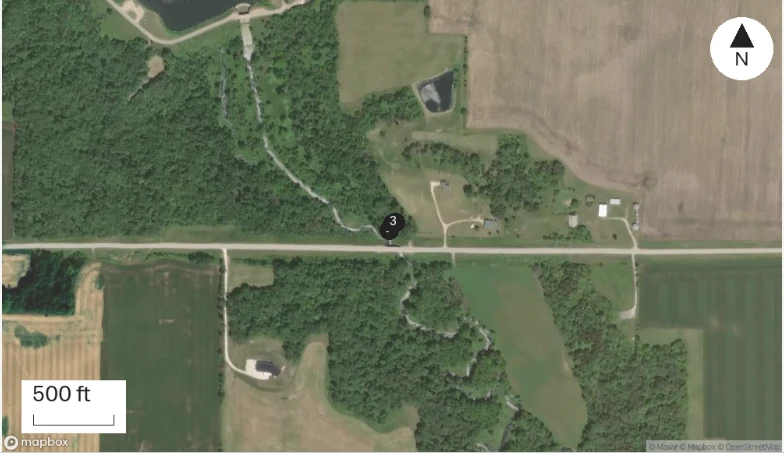
At a glance
Photo point PP-2 shows the restored prairie opening holding, few woody sprouts.
Landowner Walter Hollis present; he plans a prescribed burn in the opening next spring and will send the burn plan.
No new roads, structures or dumping found.
Annual monitoring visit - Photo point PP-2, Oct 23, 2026: “Photo point PP-2 shows the restored prairie opening holding, few woody sprouts.” The visit form gets Photo point PP-2, Opening Restored prairie holding, Vegetation Few woody sprouts, and the report lists them under Annual monitoring visit - Photo point PP-2.
Monitoring coverage across the easement
Each monitoring note is pinned to its checkpoint on the easement. A stewardship lead can see which easements had their annual visit this year and which are still due.
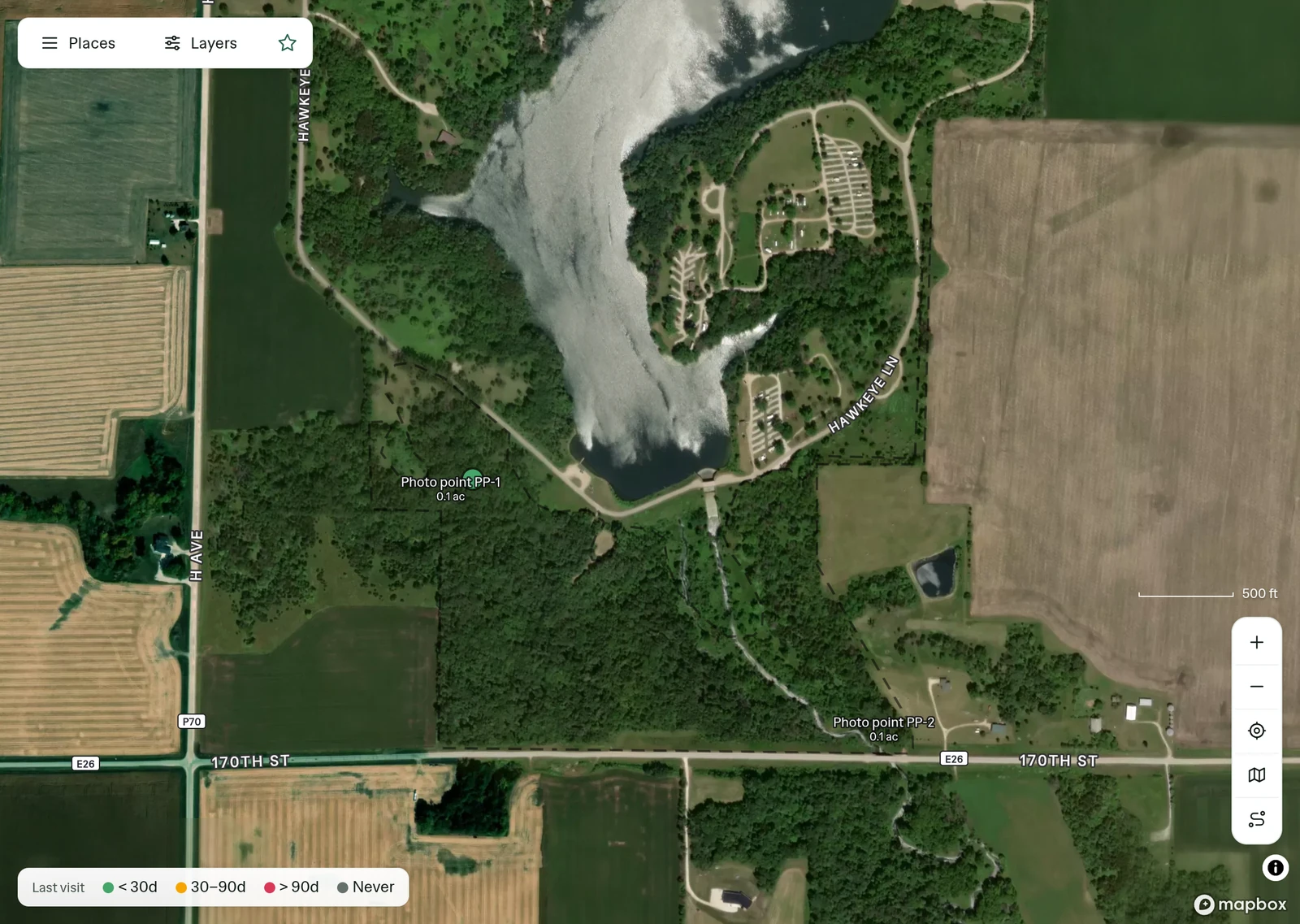
Easements, properties and monitoring checkpoints
Turn on elevation and hillshade, or open the 3D flyover, to see where water runs across the easement before you walk it.
| Level | Name in this account |
|---|---|
| Trust | Prairie Rivers Land Trust |
| Easement | Hollis Timber easement |
| Checkpoint | Photo point PP-2 |

The checkpoint findings in the monitoring report

Bring monitoring coverage to the stewardship meeting
Review easement checkpoints and the timing of monitoring visits before planning the next property round.
Explore Insights
Example account: Prairie Rivers Land Trust
What PropelMapper does not do for easement monitoring
PropelMapper does not determine whether an easement term has been violated.
GPS observations and mapped boundaries are not a legal survey or title record.
Questions about easement monitoring
Can a monitor return to the same photo point?
Yes. Save the photo point under its property and select it at each monitoring visit. The earlier captures and reports stay in that place’s history.
Who reviews a possible encroachment?
Your stewardship team reviews the observations against the easement terms and baseline documentation. The field record preserves what the monitor saw and what needs follow-up.
Can I show when a finding was recorded?
Yes. Every report has an activity log: when the visit started and ended, each capture, every version, the signature, each send and the recipient’s confirmation.