

ProductPaper trail
An activity log for every report
PropelMapper writes a dated activity log for every report: when the visit began and ended, each capture, every version, your signature, each send and the recipient's acknowledgment.

Answering questions months after a visit
In February the credit committee asks about Ortega Ridge. Was the S780 combine on the farm at the October collateral inspection, and did its serial number match the schedule? You signed the report back then, but the committee wants to know when each part of it was recorded and who changed what.
Open the report and read its activity log. Sarah Lindqvist started the visit at 9:01 on October 21. Six captures follow in order: a voice note at the shed, the tractor serial plate, the combine hour meter, the planter, a short clip of the bin site and a second voice note on the bins. The visit ended at 9:16, and the draft was waiting before she reached the truck.
That afternoon Sarah corrected a planter model number and added the bin capacities. Each save became a new version, and any two versions can be compared line by line. She signed the third one late the next morning and sent it to the loan officer, who confirmed receipt that afternoon.
None of this needed a separate spreadsheet of dates. The log is assembled from what the visit already stored, so it reads the same for you, for your manager and for the person asking the question.
Collateral inspection: what you said and what the report says
A voice note recorded at the machine shed on Ortega Ridge, the report line Sarah kept after her edits, and the web view where unsigned reports wait.
“Ortega Ridge, machine shed. Checked the 8370R tractor, the S780 combine and the 1775NT planter against the schedule. Serial numbers match. Photo of the tractor serial plate and the combine hour meter.”
Collateral inspection - Ortega Ridge
At a glance
The 8370R tractor, S780 combine and 1775NT planter were checked against the equipment schedule, and the serial numbers matched. Photos of the tractor serial plate and the combine hour meter were recorded during the October 21 visit.
Observations
The 8370R tractor, S780 combine and 1775NT planter were checked against the equipment schedule, and the serial numbers matched. Photos of the tractor serial plate and the combine hour meter were recorded during the October 21 visit.
After your review
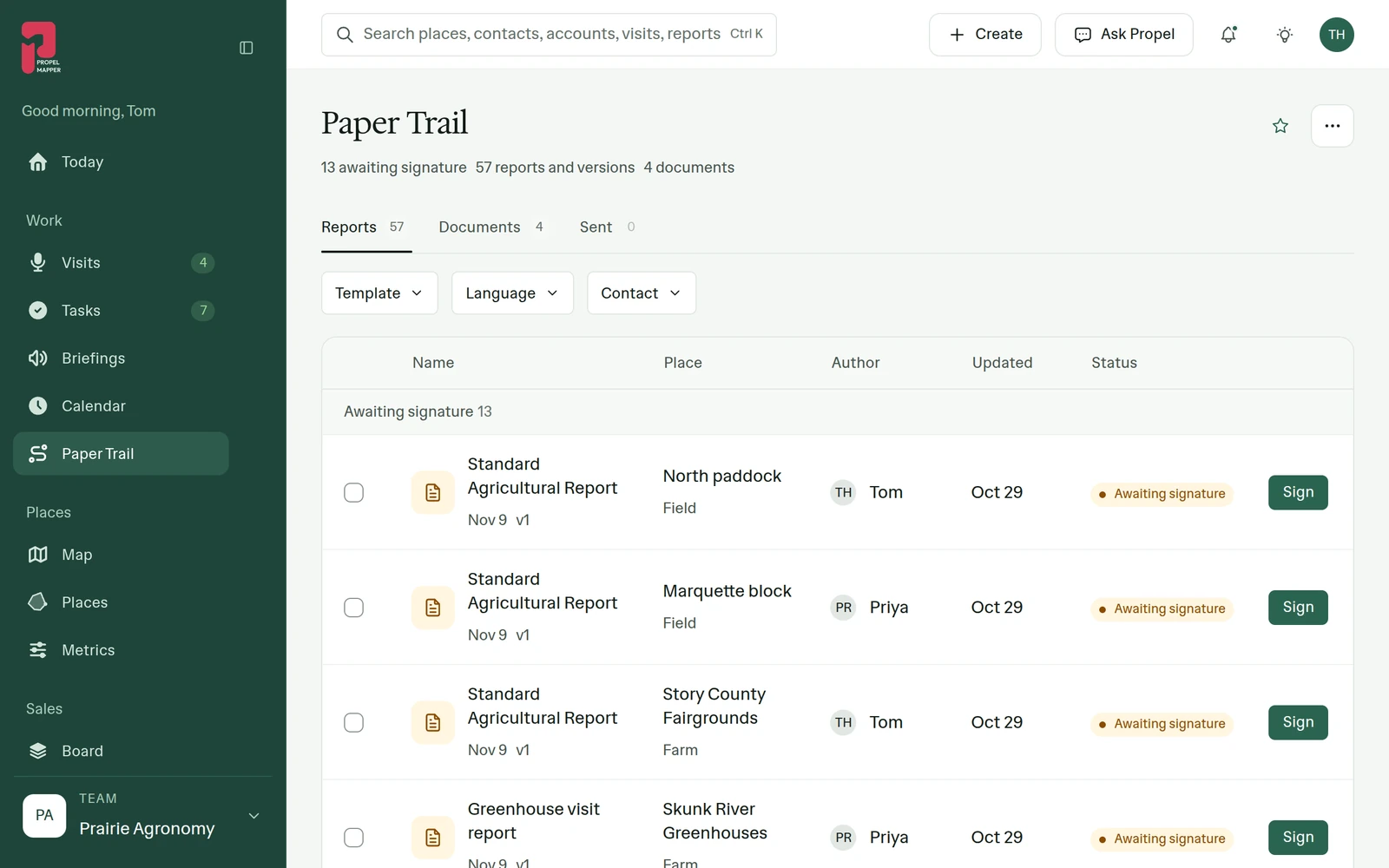
Example account: Prairie Agronomy
What the activity log records
The phone records the visit start and end at the moment you tap them. Every capture in between gets its own row: a voice note, a photo with any markup, a short video clip, a typed note or a reading. Each row keeps its clock time, and the capture stays on the map pin where you were standing.
Once the visit uploads, the draft shows up as version one. Saving an edit adds a version instead of overwriting the previous text. The compare view highlights what changed between two versions, which matters when a colleague tidied the wording or you corrected a count after listening back to the recording.
Signing turns the draft into the record. You sign with a drawn or typed signature, and the log notes which version carries it. Every send gets a row with the recipient's name, so a report that went to the loan officer in October and to the credit committee in February shows both.
Recipient acknowledgment link
The email arrives with the report attached and a link. When the recipient opens that link and confirms, an acknowledgment row appears with their name and the time. They need no account and they sign nothing. You sign the report; they confirm it reached them.
A missing acknowledgment tells you something as well. A report sent weeks ago that nobody has confirmed is a reason to phone the recipient before the next visit, rather than discovering the gap during a disagreement.
What an activity log can and cannot show
We build the log from records the visit and report already hold: capture times, saved versions, the signature, each send and each confirmation. It shows the order things happened in and who did each one. We call it an activity log on purpose, because it is a readable history of the work rather than a sealed archive.
For a lender, an easement monitor or an inspector, the usual questions are narrower anyway. Was the observation made on the visit? Was it there before the report was signed? Did the right person receive it? The log answers all three on one screen, next to the photos and recordings they refer to.
The log behind one Ortega Ridge report
Collateral inspection · Ortega Ridge
October 21, 2026
-
Visit started at Ortega Ridge
-
Voice note, 0:52
-
Photo of the tractor serial plate
-
Photo of the combine hour meter
-
Photo of the planter
-
Video clip, 30 s
-
Voice note, 0:35
-
Visit ended
-
Draft ready, version 1
-
Corrected the planter model, version 2
-
Added the bin capacities, version 3
October 22, 2026
-
Signed version 3
-
Sent to the loan officer
-
The loan officer confirmed receipt
Example account: Prairie Agronomy
Questions about the paper trail
Can anyone type entries into the activity log?
No. The log is assembled from what the visit and report stored: capture times, saved versions, the signature, each send and each acknowledgment. Changes to the report are saved as new versions, so they appear as rows instead of replacing earlier text.
Does the recipient need a PropelMapper account to acknowledge a report?
No. The email includes a link, and confirming it adds the acknowledgment to the log. The recipient is confirming they received the report, not signing it.
Can I see a report's activity on the phone?
Yes. The activity shows on the report in the phone app and in the web app. Comparing two versions side by side happens in the web app.
Who it’s for
Ag lenders, land trusts checking easements, crop insurance adjusters and farm inspectors who may be asked, long after the visit, to show when something was seen and who received the finding. Advisors lean on the same history when a grower questions a recommendation from last season.