

ProductSecurity and your data
Security, access and data ownership
This page is the technical companion to our trust commitments: where PropelMapper keeps your team's records, who can see and change them, what happens to a signed report, and how the data leaves when you want it to.

Ownership and training
Your team owns the visits, recordings, photos, readings, contacts and reports it puts into PropelMapper. When an advisor leaves, their work stays with the team, under the places it belongs to.
We don't train on your data.
Every export a team needs to leave is in the product and needs no request to us. The formats are listed on the import and export page.
Versions: what you said and what the report says
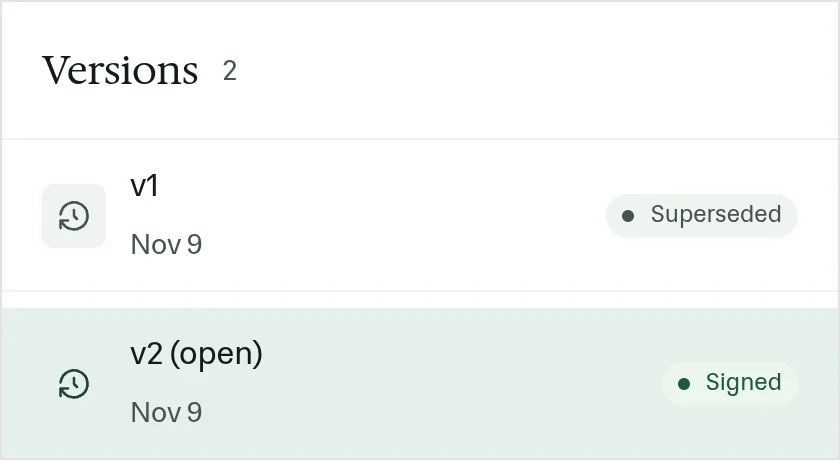
A Hilltop report that was signed, then edited. The signed version is kept and marked superseded.
“Hilltop, stand count and emergence. Brace roots look healthy, no rootworm feeding on ten dug plants. Grain moisture twenty-one percent from hand-shelled ears.”
Versions - Hilltop
At a glance
Version 1 signed on October 28 and later superseded. Version 2 signed the same day. Both remain on the report and can be compared.
Observations
Version 1 signed on October 28 and later superseded. Version 2 signed the same day. Both remain on the report and can be compared.
After your review
Example account: Prairie Agronomy
Hosting and backups
The web app, its database and your uploaded files are hosted in the United States. The database is backed up every hour, and backups and files are copied to a second US region.
We have no SOC 2 report or ISO 27001 certification. If your organization requires either, talk to us before choosing a plan.
Accounts and roles
Each person has their own account and signs in with the same email on the phone and in the browser. There are two roles. Admins manage members, invitations, labels and team switches. Members record visits, prepare and sign reports, and work their tasks.
Changing someone from Admin to Member keeps their work and removes their ability to manage the team. The visits and reports a person recorded belong to the team, not to their account.
On the phone
The field app keeps the team's places and your captures in an encrypted database on the device so it works without signal. Captures wait in an upload queue until the phone reconnects, then upload to the team.
Signed reports and deletion
Signing freezes a report version and prepares its signed PDF. A later edit creates a new version and marks the signed one as superseded; it does not overwrite it. Each report keeps an activity log of captures, versions, the signature, sends and acknowledgments.
Records that can be deleted show a Delete action with a confirmation. Deleting removes the record and its links and cannot be undone from the app. To close a team account and remove its data, contact us.
Mail and calendar connections
Gmail and Outlook connections are off until a team turns them on, and each person connects their own mailbox. Access is read-only. PropelMapper files mail to and from your client contacts onto their places and keeps nothing else. The calendar link in Settings is private to each person and can be replaced with a new one at any time.
A shared link to a record outside the team exists only when someone on the team creates one, and paid plans include them.
What we ask of an admin
Keep the member list current. When someone leaves, remove them from the team; their visits and reports stay. Give the Admin role only to the people who need to change labels, templates, team switches and members. Know whether your team has Gmail or Outlook connections switched on, since each person connects their own mailbox.
Export what your organization must retain on its own schedule. Reports download as signed PDFs and Word files, readings as CSV or Excel, contacts as CSV. Nothing about leaving requires asking us first.
Who it’s for
IT and operations staff reviewing PropelMapper for an agronomy firm, land company, lender or research group, and anyone who has to answer where the data lives.