

ProductTasks
Tasks from what you say on a visit
PropelMapper turns what you promise on a visit into a task linked to the place and the visit, assigns it to whoever will do it, and lets anyone else who cares follow it until it is done.

Turning a spoken follow-up into a task
Marcus said it at the south end of Home Place on a Thursday, mostly to himself: remind me to recheck after the weekend. That sentence is the whole problem with follow-ups. It is said in a field, it is perfectly clear in the moment, and by Monday it lives nowhere.
In PropelMapper it lives on a task. When the visit uploads, the follow-up comes out of the recording and waits for Marcus to confirm it. Once he does, the task has a title, a due date, his name as assignee, Home Place as its place and a link back to the visit where he said it. On Monday it is on his Today page. On Tuesday it is red.
We think a task born inside a visit gets done and a task typed on Friday afternoon does not. The first one carries its reason with it: open the visit and there are the counts and the photo. The second one is a sentence somebody has to remember the context for.
Recheck aphid counts after the weekend: what you said and what the report says
The follow-up Marcus said at Home Place, as it reads on the task after he confirmed it.
“Home Place, south end. Aphids around 120 a plant on the ones I checked. Remind me to recheck after the weekend.”
Recheck aphid counts after the weekend - Task
At a glance
Assignee: Marcus Bell. Place: Home Place (Corn). Linked visit: the aphid check where the follow-up was said.
Status: to do, now overdue. Mark done when the recheck is recorded.
Observations
Assignee: Marcus Bell. Place: Home Place (Corn). Linked visit: the aphid check where the follow-up was said.
Status: to do, now overdue. Mark done when the recheck is recorded.
After your review
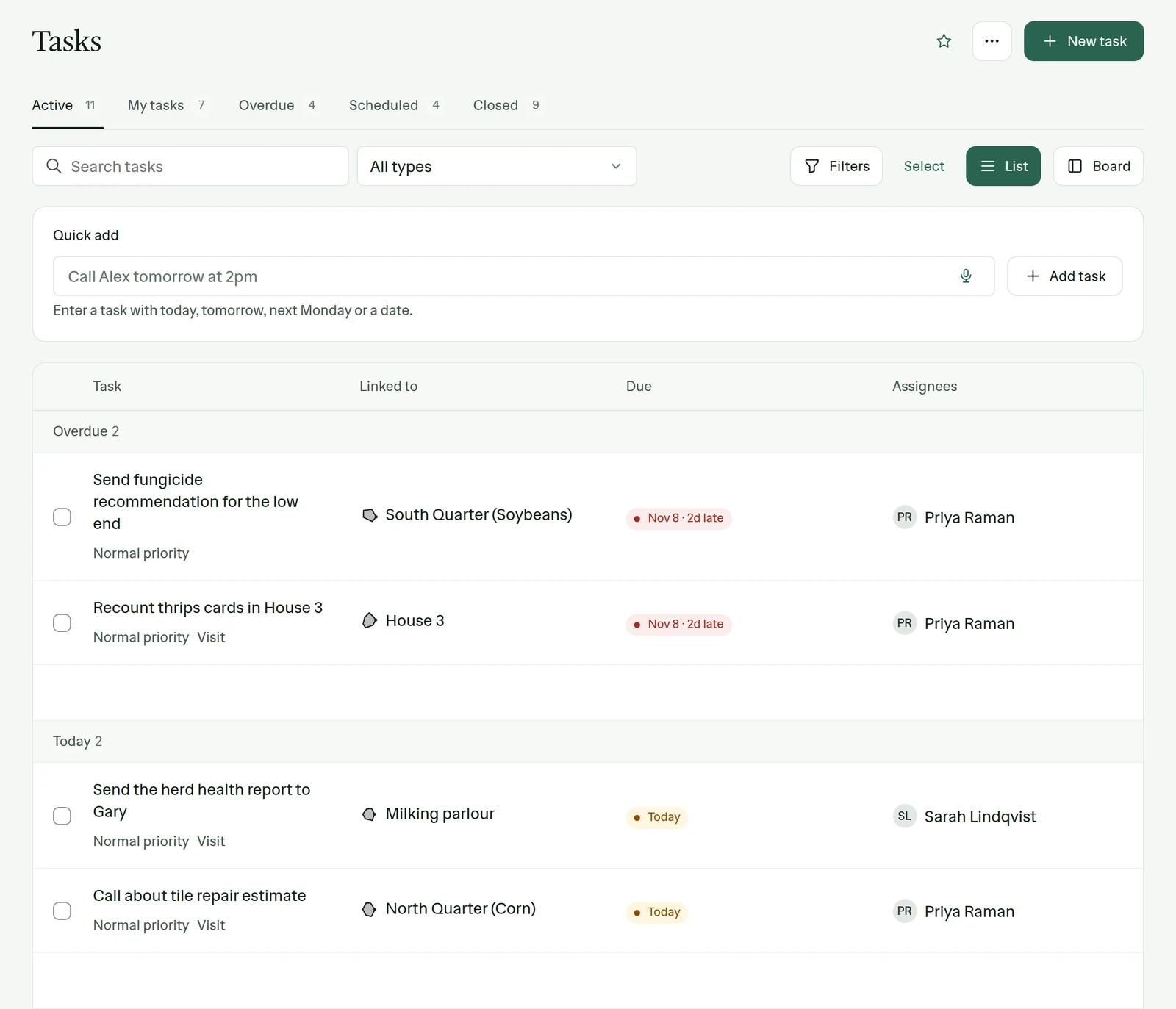
Example account: Prairie Agronomy
Assignees and followers
A task can have several assignees, for the jobs people share. Anyone else can follow it. The manager who promised the landlord an answer follows the task that produces the answer, and can check on it without asking for an update.
That distinction matters more than it looks. Assigning a task to the manager so they will see it means it sits on their list as if it were theirs. Following it keeps their list honest and still keeps them informed.
Reminder, follow-up, appointment
A task can be one of three kinds. A reminder is something you need to do. A follow-up is something you owe someone else: the fungicide recommendation for the low end of South Quarter, the soil results for the Vos brothers. An appointment has a time and goes on the calendar, and you can drag it to a new time when the weather moves it.
Each task can carry a priority, a category, a reminder and a repeat rule, and it links to its place, a contact, an account and the visit it came from. Attach the lab result or the spray record to the task itself, up to 20 MB per file, so whoever closes it has what they need.
New task by voice
Not every task starts on a visit. Driving home, tap New task by voice and say it: call Gary Mikkelsen Tuesday about the fresh pen, high priority. PropelMapper transcribes it and fills in the title, the due date, the priority and the contact it heard. If a name could match several records, it asks you to pick. You review, save, and the recording stays attached to the task.
In the app
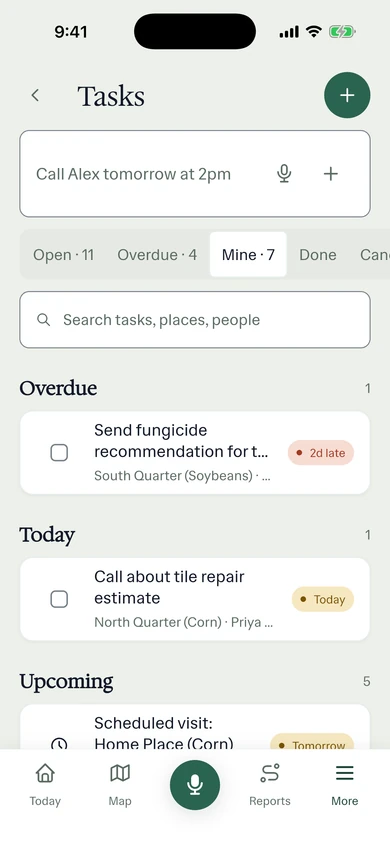
Example account: Prairie Agronomy
Questions about tasks
When are reminder emails sent?
Due-today reminder emails are scheduled during the 6 a.m. hour in your time zone. Monday messages cover upcoming reminders at 6 a.m. and older overdue tasks at 7 a.m. Messages may arrive later, and custom digest times are not available.
Can a task repeat?
Yes. Set a repeat rule on the task, for a weekly sticky card walk or a monthly herd check.
Who it’s for
Agronomists and farm managers who make promises at the field edge, vet and nutrition teams with follow-ups after every herd check, and sales teams whose next step with a customer is always a task.