

ProductOffline
Field notes saved without cell service
Capture in PropelMapper works with no signal: voice notes, photos, short video clips, readings, checklists and the boundary you walk save on the phone, with offline maps for the places you downloaded.

A field visit without cell service
You arrive at Section 5 with the farm map you downloaded before leaving. There is no cell service at the field edge. You photograph the outlet and record a note about the debris in front of it, just as you would at a farm with a connection.
A colleague in the office can read the visit once it has synced.
Uploads wait and send when you reconnect. Transcription, drafting and sending need a connection, so we transcribe the recordings and prepare the new draft once the visit uploads. You read it against your photos, add what you want the owner to do next and send the signed copy while connected.
If the draft was created before you lost signal, you can still read and sign it. Sending it waits for a connection.
Outlet check: what you said and what the report says
“Section 5, field-edge outlet. There is debris in front of the opening. Photo saved here. I need the owner to see it before we agree on the next step.”
Outlet check - Section 5
At a glance
Debris was visible in front of the field-edge outlet opening. A photo was taken during the visit.
The owner will receive the photo with this report before the next step is agreed.
Observations
Debris was visible in front of the field-edge outlet opening. A photo was taken during the visit.
The owner will receive the photo with this report before the next step is agreed.
After your review
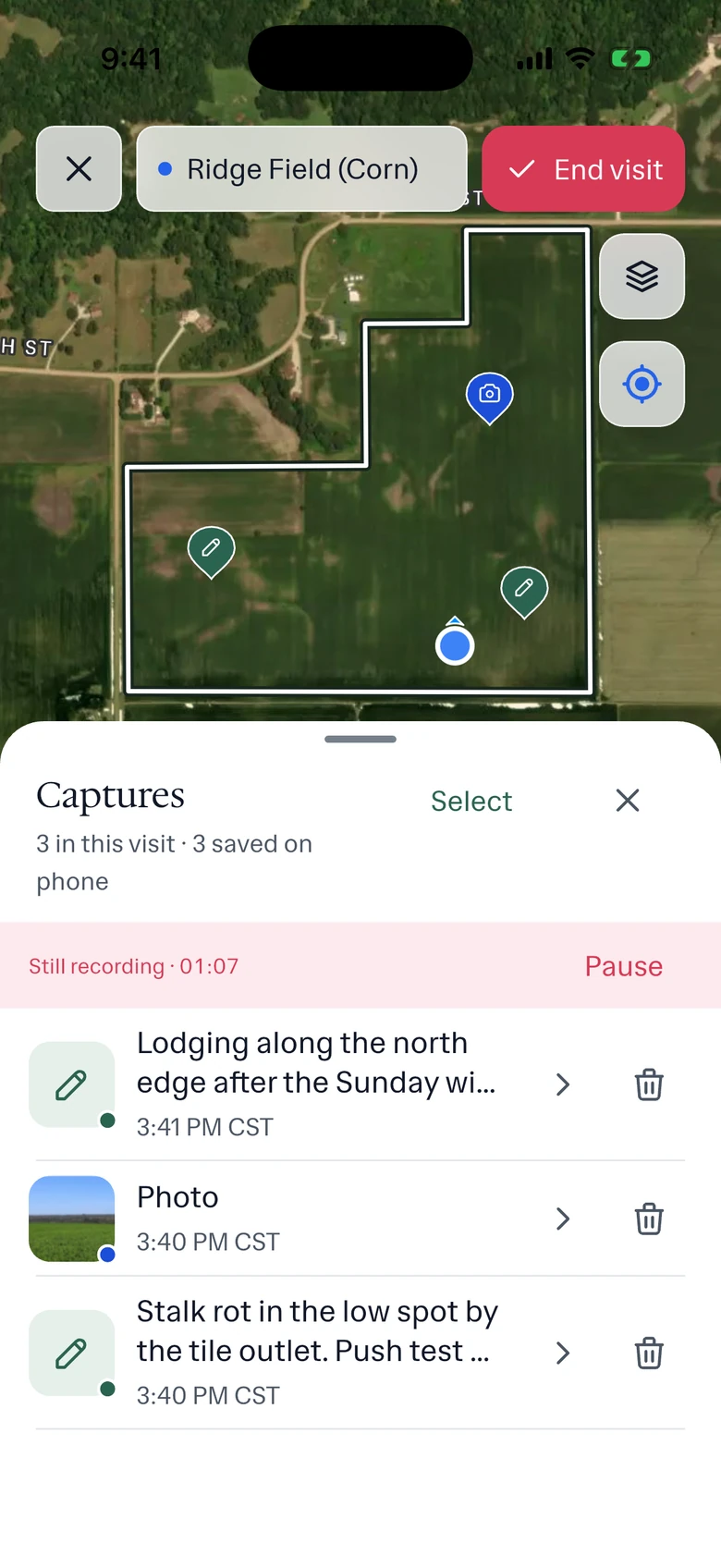
Example account: Prairie Agronomy
How offline capture and upload work
No signal at the gate. The phone saves every capture as you make it: voice notes, photos, short clips, typed notes, readings, the point where each was taken, the walk and any boundary you draw. The visit shows how many captures are still waiting to upload.
Back in range, uploads resume on their own. If the team is splitting the day's work, say which visits are still on a device.
Before you leave coverage
Open the places you plan to visit and download their maps, so the boundaries and earlier pins are on the phone when the signal drops. If several fields share an entrance, settle which is which before the grower is waiting at the gate. Bring down any earlier report you want to read on site.
In the app
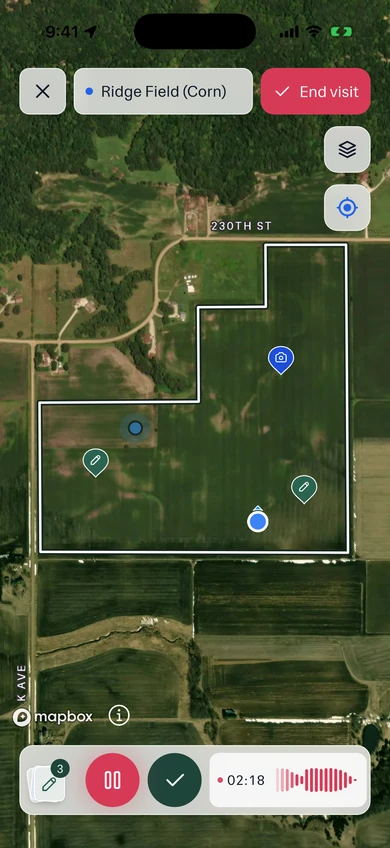
Example account: Prairie Agronomy
Formats, sources and availability
- Works offline
- Voice, photos, notes, readings, forms, GPS, the walk, boundaries, downloaded maps and existing-report signing
- Needs signal
- Transcription, new reports, Ask Propel and report delivery need a connection
- Upload
- Notes and photos upload automatically when the phone reconnects
Working without cell service
Which work requires a connection?
Uploading, transcription, extracting form values, creating a new draft, using Ask Propel and sending a report need a connection. Recording the visit, and reading and signing a draft created before you lost signal, can happen offline.
Who it’s for
Advisors visiting fields and barns with unreliable service can keep making notes and taking photos. The next report is prepared once the visit has uploaded, and sending it also needs a connection.