

ProductWeb app
The web app for managers and office staff
The PropelMapper web app is where a manager or an advisor at a desk sees what came in from the field, reads and signs the drafts, and finds the work that is waiting on them.

A manager’s morning in the web app
Most of the team was out on Friday and a couple of people worked Saturday. You open PropelMapper in the browser and the Visits page answers the first question without a meeting: 4 in progress, 3 scheduled today, 13 awaiting signature.
Ready to sign holds the thirteen. Each row has the place, the visit type, the advisor, how many captures came back, how long they were at the place, and a Sign button. You open Marcus's disease scouting visit, read the draft against his two voice notes, fix one sentence and leave the signature to him.
Before the Tuesday team review you open Insights. The dashboard shows last week’s visits, the farms due for a walk and how long drafts took to sign.
The rest of the morning is the season, not the inbox: the map, the places that have not had a visit in a while, the tasks someone promised a grower.
Disease scouting: what you said and what the report says
Marcus recorded this by the tile outlet on Friday. On Monday it sits in Ready to sign with five captures attached.
“By the tile outlet. Water's been sitting on about two acres and the corn's yellow. Pulled soil cores on the two-and-a-half acre grid, eight inches. Want Luis to see this before he decides on the tile.”
Prairie Agronomy
Disease scouting
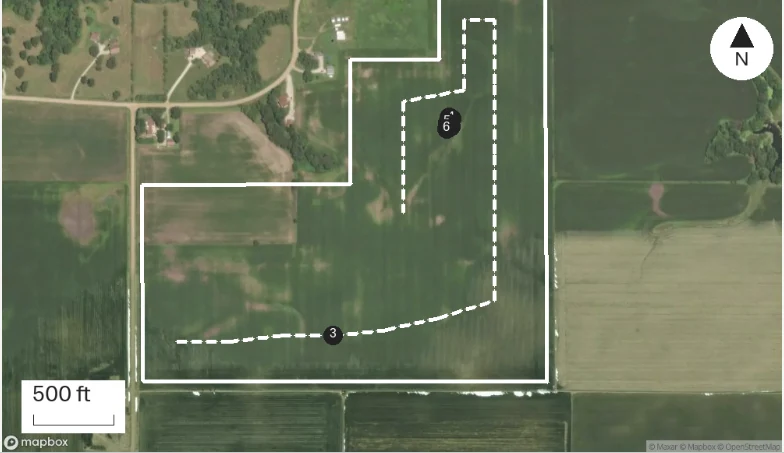
At a glance
Ponding damage on about 2 acres by the tile outlet; plants yellow. Soil sample cores pulled on a 2.5 acre grid at 8 inch depth.
Recommend reviewing tile options with Luis Ortega once soil results are back.
Observations
Ponding damage on about 2 acres by the tile outlet; plants yellow. Soil sample cores pulled on a 2.5 acre grid at 8 inch depth.
Recommend reviewing tile options with Luis Ortega once soil results are back.
After your review
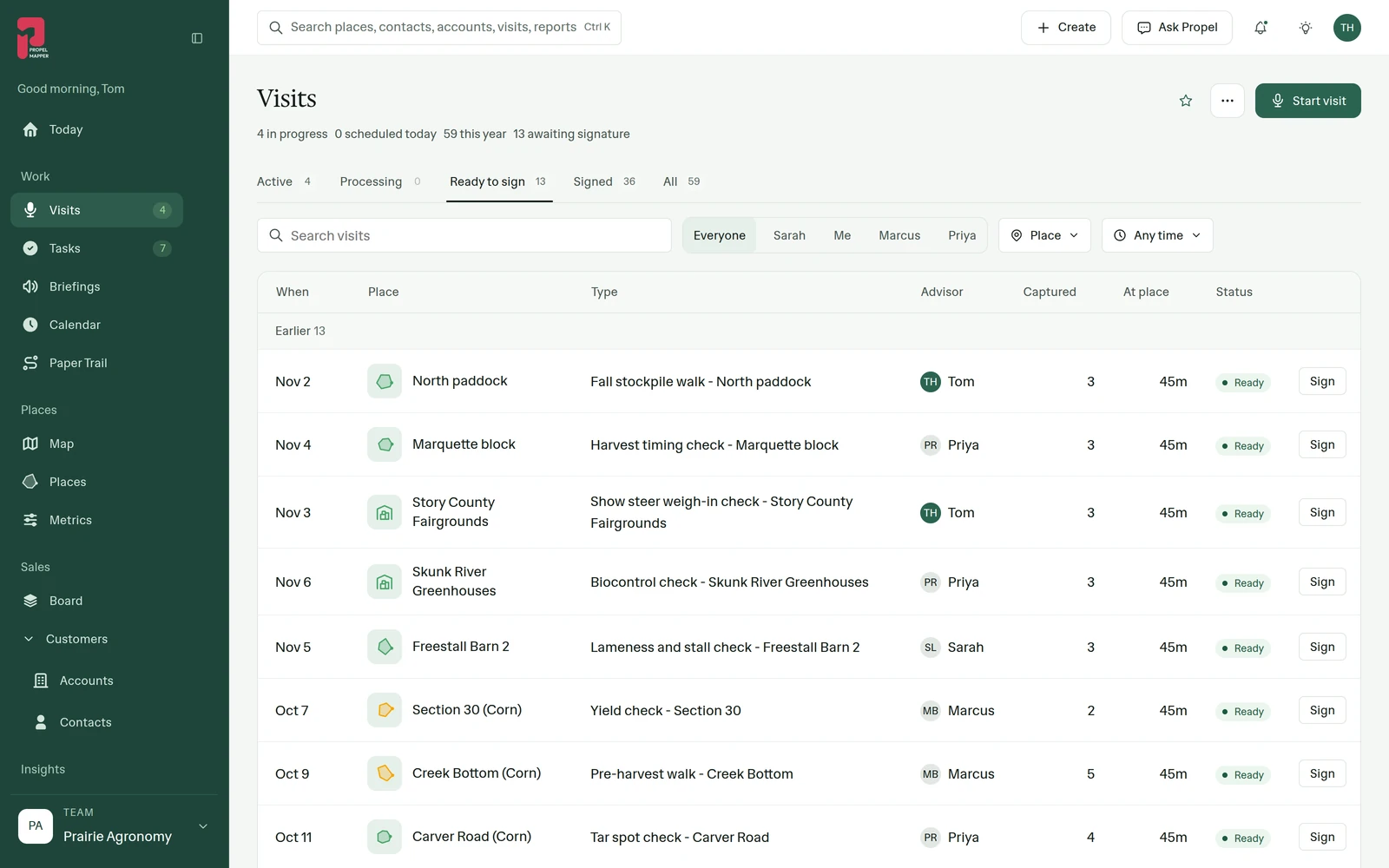
Example account: Prairie Agronomy
Your team, your rules
Some team leads check and sign every report themselves. Others let experienced advisors sign their own and look only at a new hire’s drafts. Ready to sign works either way, so the check is there when you want it and out of the way when you don’t.
The same report from every advisor
Your team shares one report template, one set of checklists and one list of metric names. A report from your newest advisor has the same sections, the same readings and the same letterhead as one from your most experienced, and every reading lands in the same column of the metrics grid.
The Needs you list for managers
We think most of managing a field team is knowing what is waiting on you, today, and nothing else. Needs you collects it: reports waiting for your signature and tasks that are yours to do. It is a short list on a good day and a long one on a bad day, and both are honest.
Everything on it links back to the visit that caused it. A task to send a fungicide recommendation for the low end of South Quarter opens on the visit where the advisor said it, so you are not working from someone's paraphrase.
What stays on the phone
The web app is for the desk, and it needs a connection. There is no offline mode in the browser. Recording a visit, taking photos, shooting a short clip and walking a boundary happen in the mobile app for iOS and Android, and everything the phone captures shows up here once it uploads.
The reverse is also true. A boundary file imported in the web app, a report template set up in Settings or a task assigned from your desk is on the advisor's phone the next time it syncs.
In the app
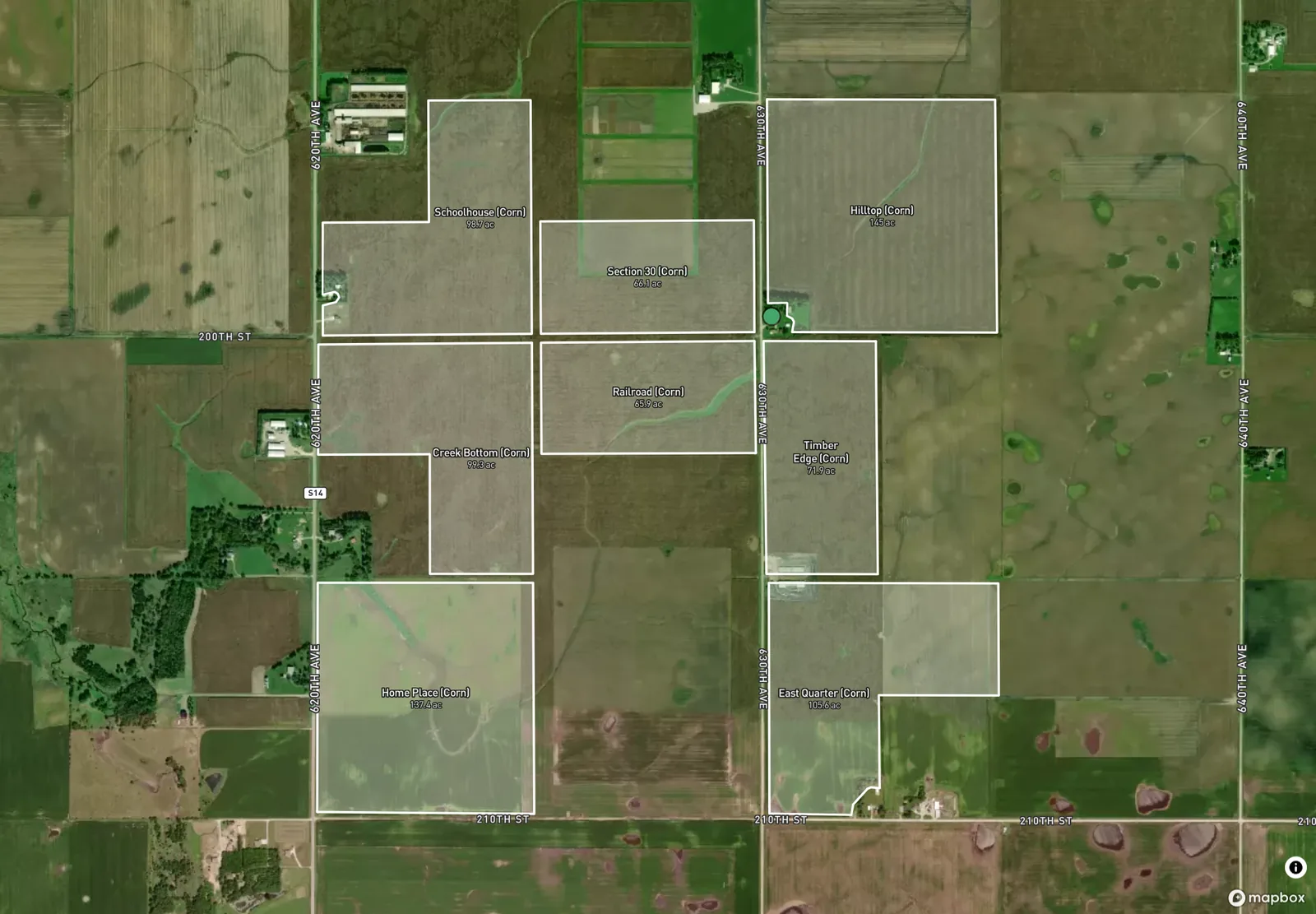
Example account: Prairie Agronomy
Questions about the web app
Can I use the web app without internet?
No. The browser needs a connection. Offline capture is a phone feature: the field app saves voice, photos, clips and readings without service and uploads them later.
Where does a team lead start on Visits?
On the Ready to sign tab, which lists the drafts waiting for a signature with the place, visit type and captures for each. The places due for a visit are on the Needs a visit list under Places.
Who it’s for
Farm managers, land management companies and agronomy team leads who review other people's visits, and the advisor who prefers to read and sign drafts on a bigger screen after the last visit.